

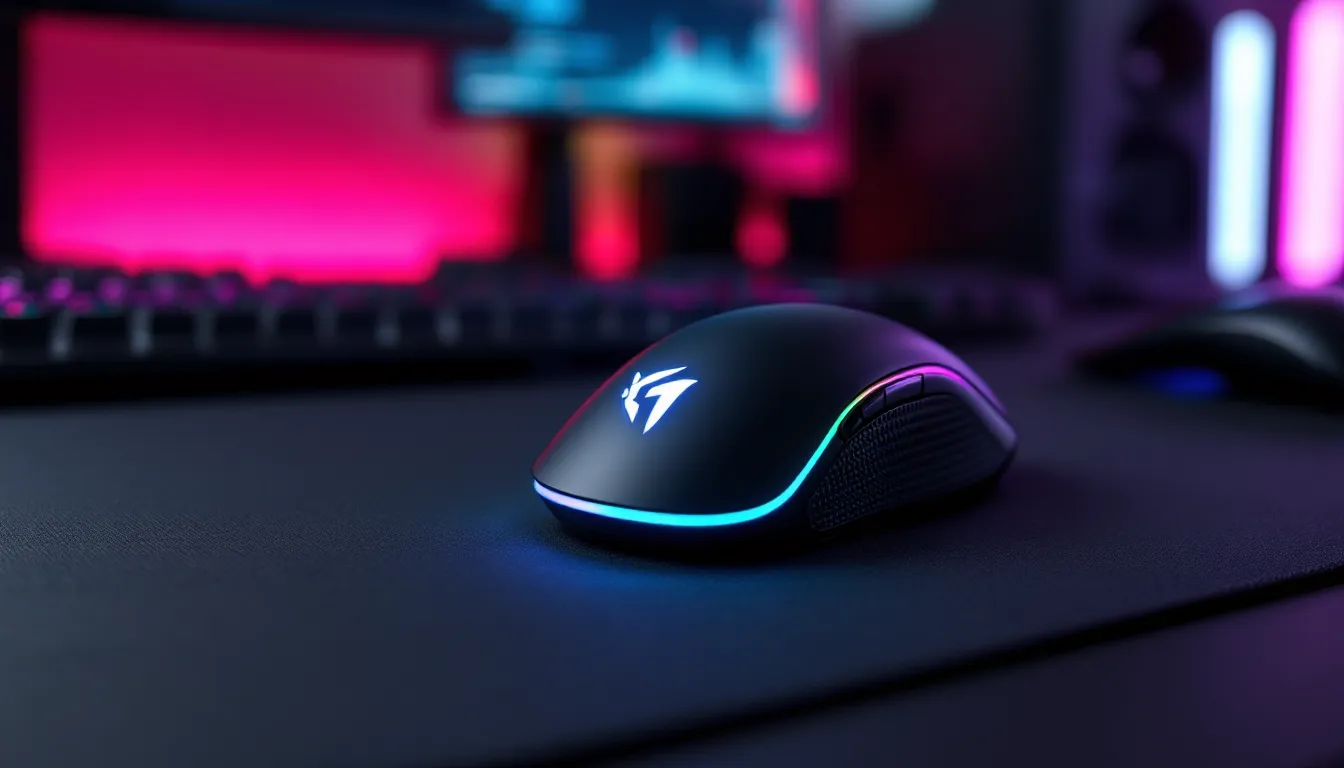
Walk into any streamer’s setup or competitive gamer’s battlestation, and you’ll spot the telltale glow of RGB peripherals, especially the mouse. What started as flashy decoration has evolved into a performance-driven feature with tangible benefits for serious gamers. RGB gaming mice aren’t just about matching your desk aesthetic to your favorite game’s color palette anymore. They’re precision instruments that combine high-end sensors, customizable lighting zones, and ergonomic designs built for marathon sessions and clutch plays alike.
In 2026, the RGB gaming mouse market is more competitive than ever. Manufacturers have refined their offerings with cutting-edge sensor technology, wireless capabilities that rival wired latency, and software ecosystems that sync every piece of your setup. Whether you’re grinding ranked in Valorant, managing macro-heavy rotations in Final Fantasy XIV, or just want your desk to look sick while you game, choosing the right RGB mouse matters. This guide breaks down everything you need to know, from DPI thresholds and polling rates to budget tiers and genre-specific picks, so you can make an well-informed choice without wading through marketing fluff.
Key Takeaways
- An RGB gaming mouse combines high-precision sensors, customizable lighting, and ergonomic design to deliver both performance and aesthetic appeal for serious gamers.
- Sensor quality and polling rate matter more than maximum DPI specs—most competitive players game between 400–3200 DPI with 1000Hz minimum polling for responsive gameplay.
- The mid-range $50–$100 price tier offers the best value for mainstream gamers, delivering premium sensors and wireless options while flagship models excel mainly in refinement and battery life.
- Match your RGB gaming mouse to your grip style and primary game genre: ultralight FPS mice, button-rich MMO designs, and balanced MOBA options ensure comfort and performance.
- Modern wireless RGB gaming mice now match wired latency performance in 2026, making the choice dependent on preference for cable management versus battery management rather than raw speed.
- Software quality and ecosystem compatibility—like Logitech G Hub, Razer Synapse, or Corsair iCUE—determine how effectively you customize RGB profiles and sync your entire battlestation together.
What Is an RGB Gaming Mouse and Why Does It Matter?
An RGB gaming mouse is a peripheral equipped with multi-color LED lighting zones that can be customized through software. Beyond the obvious visual appeal, these mice typically pack advanced features like high-precision optical or laser sensors, programmable buttons, adjustable DPI settings, and onboard memory for storing profiles.
The “gaming” designation isn’t just marketing. These mice are engineered for responsiveness, accuracy, and durability that casual office mice can’t match. Polling rates of 1000Hz (or higher) ensure your inputs register instantly, while sensors capable of 20,000+ DPI offer granular control for both low-sens snipers and high-sens flickers.
The Performance Benefits Beyond the Lights
RGB lighting might seem purely cosmetic, but there’s function hidden in the flash. Many gamers use different RGB profiles to signal active DPI stages, green for precision sniping at 800 DPI, red for fast rotations at 3200 DPI, for example. This visual feedback eliminates guesswork mid-match.
High-end RGB mice also correlate with better internal components. Manufacturers reserve their best sensors (like the PixArt PAW3395 or Razer Focus Pro 30K) for premium models, which almost always include RGB. You’re not paying just for lights, you’re getting the top-tier performance package.
The polling rate advantage matters in competitive play. At 1000Hz, your mouse reports position to your PC every millisecond. Some 2026 models push this to 2000Hz or 4000Hz, shaving fractions of milliseconds off input lag. In games where 144Hz or 240Hz monitors are standard, that responsiveness compounds.
How RGB Lighting Enhances Your Gaming Setup
Let’s be real: aesthetics matter. A synchronized RGB setup creates an immersive environment that enhances your gaming experience psychologically. When your mouse, keyboard, headset, and even desk pad pulse in sync with in-game events, it deepens the connection to what’s happening on-screen.
Modern RGB ecosystems support game-reactive lighting. Your mouse might flash red when you take damage, shift to blue when abilities are off cooldown, or ripple with colors during victory screens. Game developers and peripheral manufacturers collaborate on these integrations, particularly for major titles.
Streaming and content creation is another angle. A well-lit battlestation looks professional on camera. RGB mice provide dynamic background elements that make streams visually engaging without additional lighting equipment. You can match your brand colors or create thematic setups for specific games.
Key Features to Look for in an RGB Gaming Mouse
Not all RGB mice are created equal. The difference between a $30 budget model and a $150 flagship comes down to component quality, software depth, and build precision. Here’s what actually matters when you’re comparing specs.
DPI and Sensor Technology
DPI (dots per inch) measures sensor sensitivity, higher DPI means your cursor moves farther per inch of physical movement. Most gamers use between 400-3200 DPI depending on genre and preference. Marketing numbers like “20,000 DPI.” sound impressive but are rarely practical. What matters more is consistent tracking at your preferred range.
Sensor type determines accuracy. Optical sensors dominate the market in 2026, using LED illumination to track surface details. Top-tier options like the PixArt PAW3395 or Hero 25K offer zero acceleration, perfect 1:1 tracking, and lift-off distance customization. Laser sensors still exist but have largely fallen out of favor due to inconsistent tracking on certain surfaces.
Polling rate (measured in Hz) defines how often your mouse reports position. 1000Hz is standard, but competitive players often seek 2000Hz or 4000Hz models for marginally faster response. The performance gap between 1000Hz and higher rates is minimal for most players, but pros squeezing every advantage appreciate it.
RGB Customization and Lighting Zones
The number and placement of RGB zones varies wildly. Budget mice might have a single-color logo: premium models feature per-zone customization across the scroll wheel, DPI indicator, side strips, and base. More zones mean more creative possibilities for lighting effects.
Software quality makes or breaks RGB customization. Look for platforms that offer:
- Per-zone color selection with full 16.8 million color spectrum
- Multiple effect presets (static, breathing, wave, reactive)
- Game integration for reactive lighting
- Profile switching based on active application
Onboard memory lets you save RGB profiles directly to the mouse. This matters if you game on multiple PCs or attend LAN events, your settings travel with you without reinstalling software.
Ergonomics and Grip Styles
Your grip style dictates which mouse shape works best. The three primary grips are:
Palm grip: Your entire hand rests on the mouse. Larger, fuller-bodied mice with pronounced humps support this style. Best for relaxed gaming and reducing wrist strain.
Claw grip: Your palm touches the back while fingers arch to click. Medium-sized mice with higher backs accommodate this aggressive grip. Popular among FPS players who need quick flicks.
Fingertip grip: Only your fingertips contact the mouse. Smaller, lighter mice excel here. Offers maximum agility but can fatigue fingers during long sessions.
Weight matters too. The trend has shifted toward ultralight designs (under 70g) for competitive FPS. MMO and MOBA players often prefer slightly heavier mice (80-100g) for stability. Some mice include adjustable weights, though this feature has become less common as fixed-weight optimization improved.
Programmable Buttons and Macro Support
Button count ranges from the standard 5 (left, right, middle, two side) to 12+ on MMO-focused mice. According to data compiled by professional player settings databases, most competitive FPS players stick with 2-4 side buttons to avoid accidental presses.
Macro support lets you bind complex sequences to single buttons. This is game-changing for MMOs where you’re managing 30+ abilities, but it’s equally useful for productivity tasks like Discord mute toggles or recording shortcuts.
Button durability uses switches rated for millions of clicks. Omron switches (rated 50-80 million clicks) are industry standard. Some manufacturers like Razer use proprietary optical switches that eliminate debounce delay entirely, registering clicks at light speed.
Wired vs. Wireless RGB Gaming Mice
The wired-versus-wireless debate has mostly settled in 2026. Wireless technology has matured to the point where latency differences are imperceptible for the vast majority of players. Your choice now comes down to preference and use case rather than pure performance.
Wired RGB Mice: Reliability and Zero Latency
Wired mice offer guaranteed consistency. There’s no battery to die mid-clutch, no wireless interference from other devices, and absolutely zero risk of input lag from connection drops. For tournament play and competitive environments with tons of wireless traffic, wired remains the safer choice.
The cable quality matters significantly. Braided cables resist tangling and wear better than rubber. Paracord-style cables have become standard on enthusiast mice, they’re ultra-flexible and create minimal drag. Some companies include mouse bungees or recommend specific cable management to eliminate any pull sensation.
Weight distribution is simpler without battery compartments. Wired mice can achieve lower weights more easily, which is why many ultralight models (sub-60g) remain wired.
Price advantage is real. Equivalent wired and wireless mice typically differ by $20-40, with the wired version coming in cheaper. If budget is tight, wired gives you more performance per dollar.
Wireless RGB Mice: Freedom and Battery Considerations
Wireless RGB mice in 2026 use proprietary 2.4GHz dongles, Bluetooth, or hybrid connectivity. Proprietary protocols (Logitech’s Lightspeed, Razer’s HyperSpeed, Corsair’s Slipstream) deliver 1ms response times that match or beat wired performance in blind testing.
Battery life varies wildly based on RGB usage. With full RGB effects active, expect 20-40 hours. Turn RGB off, and many mice push 80-100+ hours. Dual-mode mice let you switch to Bluetooth for general use (extending battery further) and 2.4GHz for gaming.
Charging methods include:
- USB-C charging: Most common, convenient, and fast
- Wireless charging pads: Premium feature on high-end mice: your mouse charges while you’re between rounds
- Swappable batteries: Rare in 2026 but allows instant power swaps
The freedom factor can’t be overstated. No cable means cleaner desks, easier transport, and seamless switching between gaming setups. For couch gaming or living room PC setups, wireless is practically mandatory.
Top RGB Gaming Mice by Gaming Genre in 2026
Different games demand different mouse characteristics. An MMO player’s dream mouse would be a nightmare for a competitive CS2 player. Here’s how to match your mouse to your main genre.
Best RGB Mice for FPS and Competitive Shooters
FPS gaming prioritizes low weight, precise sensors, and minimal buttons. Extra side buttons become liability when every accidental press could throw off your aim.
Key specs for FPS mice:
- Weight: 60-75g (ultralight territory)
- DPI range: 400-3200 (most pros play between 400-1600)
- Polling rate: 1000Hz minimum, 2000Hz+ preferred
- Button count: 5-7 (left, right, middle, 2-4 side)
Ergonomic shape matters intensely. Many FPS players prefer ambidextrous designs or mice with subtle curves that don’t force a specific grip. Textured sides improve grip during intense flicks.
RGB in FPS mice is typically understated, a logo and scroll wheel rather than full-body lighting. This reduces weight and extends battery life on wireless models.
Best RGB Mice for MOBA and Strategy Games
MOBA and RTS players need precision but also benefit from extra programmable buttons for item actives, camera controls, and ping shortcuts. These mice strike a balance between FPS minimalism and MMO complexity.
Ideal features:
- Weight: 80-95g (balanced for control and quick movements)
- DPI: 1600-3200 for RTS camera panning: 800-1600 for MOBA precision
- Button count: 6-8 programmable inputs
- Thumb rest or grip: Common since these mice are slightly larger
RGB profiles can be game-reactive, changing colors based on in-game events. Some players set up color coding for ability cooldowns or item purchases using third-party software integration.
Best RGB Mice for MMO and RPG Gaming
MMO mice are the heavy hitters, literally and figuratively. They pack 12+ side buttons arranged in grid patterns, designed to replicate an entire action bar under your thumb. Detailed reviews on sites like major tech publications consistently highlight button layout as the make-or-break feature for MMO mice.
Essential characteristics:
- Button count: 12-20 programmable buttons
- Weight: 90-120g (stability for precise button targeting)
- Macro support: Deep software for complex rotation macros
- Adjustable button tension: Premium models let you customize click resistance
RGB lighting on MMO mice is extensive, multiple zones, side panel illumination, and per-button backlighting. This serves a functional purpose: backlit buttons are easier to identify during night raids.
The learning curve is steep. Expect a week or two of muscle memory development before you’re hitting buttons without looking. Many MMO players start by binding only half the buttons, gradually expanding as they become comfortable.
RGB Software and Ecosystem Integration
Your mouse’s RGB capabilities are only as good as the software controlling them. In 2026, the major peripheral manufacturers have matured their platforms into robust control hubs that manage entire battlestations.
Popular RGB Control Software Platforms
Logitech G Hub: Clean interface, reliable performance, and integration with hundreds of games for reactive lighting. Supports macros, DPI customization, and profile switching. The onboard memory manager is particularly strong, letting you save multiple profiles directly to your mouse.
Razer Synapse: The most feature-rich platform with deep customization options. Chroma Studio lets you create complex lighting effects across all Razer devices. Game integration is extensive, with official support from major studios. The trade-off is software bloat, Synapse runs heavier than competitors.
Corsair iCUE: The gold standard for RGB synchronization across brands. iCUE integrates with non-Corsair products through plugins, letting you sync RAM, fans, keyboards, and mice from different manufacturers. The learning curve is steeper but the payoff is unmatched lighting coordination.
SteelSeries GG (SteelSeries Engine): Focused on esports features like audio customization and performance monitoring alongside RGB control. Lighter on system resources than Razer or Corsair. Game integration is solid but not as extensive.
ASUS Aura Sync / MSI Mystic Light: Motherboard-centric ecosystems that extend to peripherals. Useful if you’re building an all-ASUS or all-MSI setup, but peripheral selection is more limited.
Each platform offers cloud sync for profiles, though privacy-conscious gamers often disable this. Local profile storage is generally more reliable and doesn’t require constant internet connection.
Syncing RGB Across Your Entire Gaming Setup
The real magic happens when everything syncs. Modern software can coordinate your mouse, keyboard, headset stand, RAM sticks, GPU backplate, case fans, and monitor bias lighting to create unified lighting shows.
Sync methods include:
Native ecosystem sync: All devices from one brand using their software. Easiest to set up, most reliable, but locks you into one manufacturer.
Cross-brand integration: Platforms like iCUE and SignalRGB support devices from multiple manufacturers through plugins. Configuration takes more effort but gives you freedom to choose best-in-class components regardless of brand.
Game-reactive sync: Some games trigger coordinated lighting responses across all peripherals. Your entire desk might pulse red during low health, flash blue when abilities are ready, or ripple gold on victory. Support varies by game and software platform.
Audio-reactive lighting: Music and game audio can drive RGB effects, with lights pulsing to bass frequencies or changing with sound intensity. This is more for ambiance than competitive advantage, but it looks incredible on streams.
The performance impact of RGB software is real but manageable. Expect 1-3% CPU usage from control software running in the background. Close it entirely for maximum competitive performance, though most players notice no FPS difference in practice.
How to Choose the Right RGB Gaming Mouse for Your Budget
RGB gaming mice span from $25 budget options to $200 flagship models. Here’s what you actually get at each price tier and where the value sweet spots sit in 2026.
Budget-Friendly RGB Options Under $50
Budget RGB mice make compromises, but the right ones can still deliver solid gaming performance. At this price, expect:
- Decent optical sensors (PixArt PMW3325 or equivalent, 12,000 DPI max)
- Basic RGB with 1-3 zones, limited effects
- Wired connectivity only
- Plastic construction with minimal rubberized grips
- 6-8 programmable buttons max
- Lighter software with fewer features
What to look for: Prioritize sensor quality over RGB zones. A mouse with great tracking and single-zone RGB beats flashy multi-zone lighting with a mediocre sensor. Check reviews specifically mentioning sensor consistency and click latency.
Common issues at this tier include inconsistent RGB brightness, cheaper switches rated for lower click cycles (20 million vs. 50+ million), and software that’s clunky or requires constant internet connection.
Mid-Range RGB Mice: $50-$100
This is the value sweet spot for most gamers. Mid-range mice pack 80% of flagship performance at half the cost. According to comprehensive reviews from trusted hardware outlets, this tier offers the best price-to-performance ratio for mainstream gaming.
Expect at these price points:
- Premium sensors (PixArt PAW3370, Hero 25K, or equivalent)
- Multiple RGB zones with full customization
- Wireless options available (though flagship wireless still costs more)
- Durable switches rated 50+ million clicks
- Onboard memory for profile storage
- Quality braided or paracord cables on wired models
- Better ergonomics with textured grips and multiple size options
Major brands compete intensely in this bracket. You’ll find previous-generation flagships discounted into this range, which often represents better value than current mid-tier models.
Premium RGB Gaming Mice: $100+
Flagship mice justify their premium pricing with cutting-edge tech, flawless build quality, and extensive features. Here’s where that extra money goes:
- Best-in-class sensors with 25,000+ DPI, zero acceleration, and sub-1mm lift-off distance
- Advanced wireless with 2000Hz+ polling rates and 100+ hour battery life
- Wireless charging pad compatibility
- Premium materials (aluminum frames, high-grade plastics, PBT coatings)
- Extensive RGB zones with per-key or per-zone customization
- Modular designs with swappable side panels or button layouts
- Extended warranties (2-3 years vs. 1 year)
For competitive players chasing every possible advantage, the refinements matter. For everyone else, they’re nice-to-haves rather than must-haves.
The used/refurbished market can be attractive at this tier. Last-gen flagships from reputable sellers often sell for mid-range prices while delivering premium performance. Just ensure you’re buying from sources with return policies in case of issues.
Common Mistakes to Avoid When Buying an RGB Gaming Mouse
Even experienced gamers fall into these traps when shopping for RGB mice. Avoid these missteps and you’ll be happier with your purchase.
Chasing DPI numbers: Marketing loves to scream “20,000 DPI.” but almost no one actually games above 3200 DPI. Sensor quality at your preferred DPI range matters far more than maximum specs. A mouse with perfect 1:1 tracking at 400-1600 DPI beats erratic tracking at 10,000 DPI every time.
Ignoring grip style: Buying a mouse because it looks cool or has good reviews without considering your grip leads to discomfort and poor performance. A palm-grip mouse feels terrible for fingertip users, and vice versa. If possible, test mice in-store or buy from retailers with good return policies.
Overlooking software quality: Flashy RGB means nothing if the software crashes constantly or requires always-online authentication. Check recent user reviews specifically mentioning software stability before committing. Reddit and forum threads reveal software issues that don’t show up in professional reviews.
Buying the wrong size: Mouse size relative to hand size matters intensely. Measure your hand from wrist crease to middle fingertip. Small hands (under 17cm) need compact mice: large hands (over 19cm) require full-sized models. Mid-sized mice work for most people in between.
Assuming wireless means worse performance: This was true five years ago. In 2026, flagship wireless mice match or exceed wired latency in testing. Don’t avoid wireless based on outdated assumptions, evaluate current models on their actual specs.
Neglecting button placement: Those 12 side buttons look amazing for MMO gaming, but if they’re poorly placed or lack tactile differentiation, you’ll hit wrong buttons constantly. Button layout quality matters more than quantity.
Forgetting about mousepad compatibility: Some sensors struggle with certain surfaces. Glass or glossy pads can confuse optical sensors. If you’re particular about your mousepad, verify compatibility or stick with sensors known for universal surface tracking.
Buying based solely on brand loyalty: Every manufacturer produces duds alongside winners. A bad Logitech mouse isn’t redeemed by brand history, and a stellar lesser-known brand mouse isn’t diminished by lack of name recognition. Evaluate each model individually.
Skipping the warranty check: RGB mice have more potential failure points (LED zones, software, switches). A good warranty (2+ years) provides peace of mind. Some brands offer advance replacement, they ship your replacement before you return the defective unit, minimizing downtime.
Maintaining and Optimizing Your RGB Gaming Mouse
Dropping $100+ on a gaming mouse means nothing if you don’t maintain it properly. Regular care extends lifespan and maintains peak performance.
Cleaning and Care Tips
Dirt, oil, and debris are your mouse’s enemies. Dead skin cells and hand oils build up on buttons and sensor lenses, degrading performance over time.
Weekly maintenance:
- Wipe down the exterior with slightly damp microfiber cloth
- Clean sensor lens with compressed air (don’t touch the lens directly)
- Remove visible debris from button gaps and scroll wheel
Monthly deep clean:
- Disconnect and power off your mouse
- Use isopropyl alcohol (70%+) on cotton swabs for stubborn grime
- Clean mousepad simultaneously, dirty pads transfer gunk to clean sensors
- Check cable connections for damage or fraying (wired models)
- Inspect mouse feet for wear: replace if they’re showing flat spots
RGB-specific care:
- Dust inside RGB zones using compressed air
- Avoid harsh chemicals near LED components
- If RGB zones dim over time, it’s usually dust buildup rather than LED degradation
Mouse feet (the PTFE pads on the bottom) wear down with use. Aftermarket replacements cost $5-10 and restore glide quality. Some enthusiast brands sell premium feet that improve glide even over stock.
Firmware Updates and Performance Tuning
Manufacturers regularly release firmware updates that improve sensor performance, fix bugs, and add features. Always update through official software, never install firmware from third-party sites.
Update process:
- Open your mouse software (G Hub, Synapse, iCUE, etc.)
- Check for firmware updates in settings
- Download and install (mouse will usually disconnect briefly)
- Restart your PC to ensure changes apply properly
Some updates introduce new RGB effects, fix sensor tracking issues, or optimize battery life. Check patch notes to see if updates address specific issues you’ve experienced.
Performance tuning:
- DPI stages: Set 2-3 useful DPI levels rather than 5 you’ll never use. Most players need one low (400-800), one medium (1600), and optionally one high (3200+)
- Polling rate: Use 1000Hz as baseline: only increase to 2000Hz+ if you have a high-end PC that can maintain 240+ FPS
- Lift-off distance: Lower is better for FPS (1-2mm): slightly higher works for MOBA/MMO (2-3mm)
- Angle snapping: Turn this OFF for FPS: some players enable light snapping for design work
- RGB profiles: Create game-specific profiles with appropriate colors and effects
Onboard memory: Save your most-used profile to onboard memory. This ensures your settings work even on PCs without your software installed, crucial for LAN events or gaming cafes.
DPI deviation testing: Some software includes DPI calibration tools that measure actual sensor output versus advertised DPI. If your 800 DPI setting actually outputs 810, you can correct this through software.
Surface calibration: Many mice offer surface tuning that optimizes sensor performance for your specific mousepad. This takes 10 seconds and can improve tracking consistency noticeably.
Conclusion
RGB gaming mice in 2026 represent the intersection of form and function. The lights aren’t just for show, they’re integrated into performance-focused peripherals that deliver the responsiveness, precision, and customization serious gamers demand. From budget-friendly options that nail the basics to flagship wireless models pushing the boundaries of sensor technology, there’s an RGB mouse for every playstyle and budget.
The key is matching features to your actual needs rather than chasing spec sheets or flashy marketing. FPS players benefit from ultralight designs with minimal buttons. MMO enthusiasts need those 12-button layouts and macro depth. MOBA and strategy players sit somewhere in between, balancing precision with programmability.
Don’t overlook the ecosystem factor. Your choice of mouse influences (and is influenced by) your keyboard, headset, and entire desk setup. Software compatibility and RGB sync capabilities extend the value of a good mouse choice across your whole battlestation.
As sensor technology continues advancing and wireless latency becomes truly imperceptible, the gap between mid-range and premium mice narrows. That’s good news for gamers, you’re getting better performance at every price point than ever before. Take your time, consider your grip style and primary games, and don’t be afraid to return a mouse that doesn’t feel right. Your aim, your comfort, and your victory rate will thank you.