

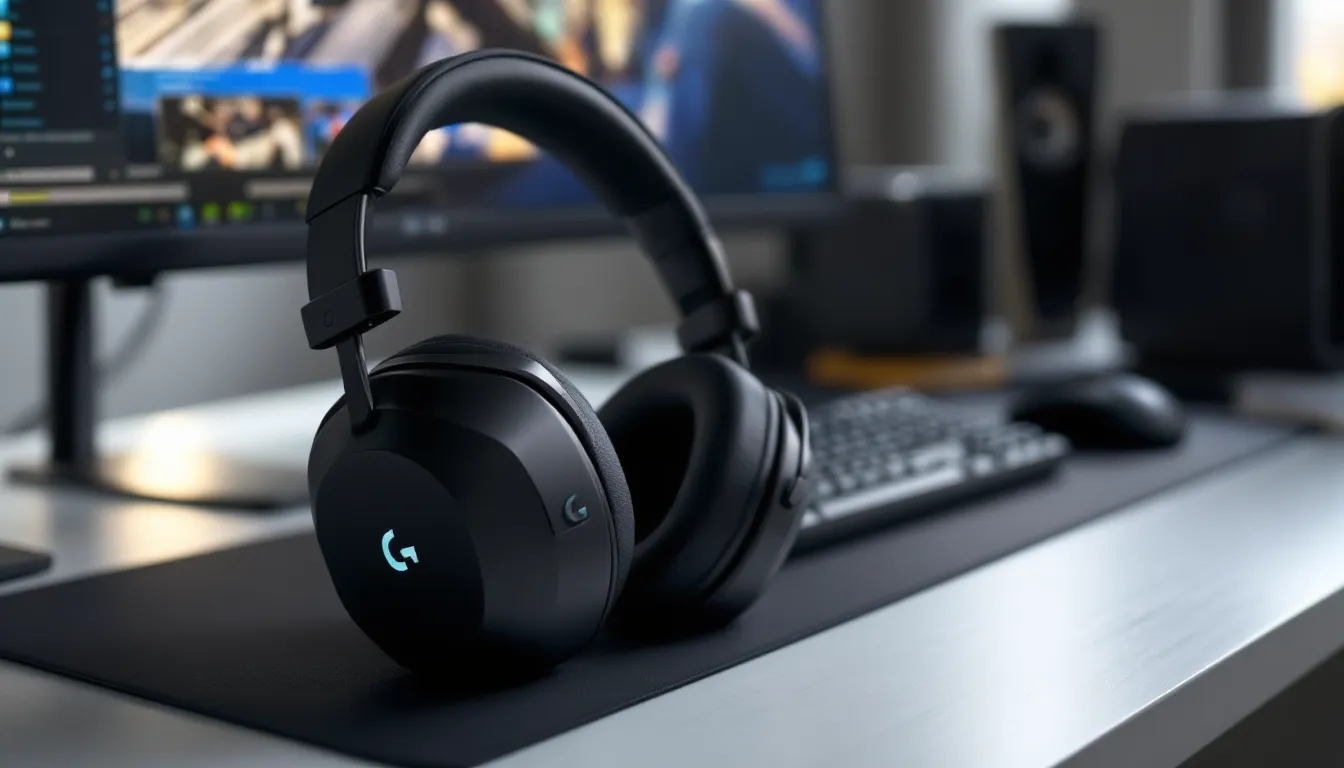
The Logitech G533 has been a staple in the wireless gaming headset market since its release, and even in 2026, it continues to hold its ground against newer competitors. This headset promises lag-free wireless audio, DTS Headphone:X 7.1 surround sound, and a 15-hour battery life, all without very costly. But how does it actually perform when you’re grinding ranked matches or exploring open-world RPGs?
This review dives deep into every aspect of the G533, from its Pro-G audio drivers to its wireless stability during intense gaming sessions. Whether you’re a competitive FPS player who needs precise directional audio or a casual gamer looking for reliable wireless performance, this guide will help you decide if the G533 deserves a spot on your desk.
Key Takeaways
- The Logitech G533 wireless gaming headset delivers lag-free performance and solid audio quality at $80-100, making it a solid value option for PC-exclusive gamers on a budget.
- With 13-14 hours of real-world battery life and reliable 15-meter wireless range, the G533 is comfortable for 2-4 hour gaming sessions without major connectivity issues.
- For competitive FPS gaming, use stereo mode to maximize footstep clarity and directional accuracy; the 7.1 surround sound can blur positional cues for tactical shooters.
- The Logitech G533’s plastic build has known durability concerns—specifically yoke cracking after 1-2 years of heavy use—so consider this if you’re rough with gaming gear.
- Skip the G533 if you need console support, maximum battery life (30+ hours), USB-C charging, or future-proof features; newer alternatives like the Arctis 7 offer better long-term value.
- Best for casual to intermediate PC gamers seeking hassle-free wireless audio without premium features; pass if you’re a multi-platform gamer or competitive esports player.
Key Specifications and Technical Overview
The Logitech G533 packs some solid hardware under its matte black shell. Here’s what you’re working with:
Core Specifications:
- Drivers: 40mm Pro-G audio drivers
- Frequency Response: 20 Hz – 20 kHz
- Impedance: 39 Ohms (passive)
- Wireless Technology: 2.4 GHz Lossless Digital Audio
- Surround Sound: DTS Headphone:X 7.1 (software-enabled)
- Microphone: 6mm cardioid boom mic (folds up)
- Battery Life: Up to 15 hours per charge
- Weight: 350g (12.3 oz)
- Connectivity: USB wireless dongle (PC only)
- Range: Up to 15 meters (line of sight)
Platform Compatibility:
PC only via USB dongle. There’s no Bluetooth, no 3.5mm jack option, and no console support. If you’re exclusively a PC gamer, that’s fine. If you game across multiple platforms, this limitation matters.
The Pro-G drivers are the same tech Logitech uses across its premium lineup. They’re designed to minimize distortion at high volumes while delivering consistent bass response. The 39-ohm impedance means they’re easy to drive, and you won’t need a dedicated amp to get proper volume levels.
One thing worth noting: the G533 launched in 2017, and while Logitech has released firmware updates over the years, the core hardware hasn’t changed. That means you’re getting proven, stable tech, but also tech that’s approaching a decade old.
Design and Build Quality
Materials and Durability
The G533 uses a plastic construction throughout, with a matte black finish that resists fingerprints reasonably well. The headband has a metal reinforcement bar inside, which adds structural integrity without much extra weight.
The earcups are connected via a simple hinge mechanism, no fancy ball joints here. They rotate about 90 degrees to lay flat, which helps if you’re tossing them in a bag. The hinges feel sturdy enough for daily use, though they don’t inspire the same confidence as the metal hinges found on more expensive headsets.
Build concerns: The plastic yokes that connect the earcups to the headband are a known weak point. Multiple user reports over the years have mentioned cracking in this area after 1-2 years of heavy use. It’s not universal, but it’s common enough to mention. If you’re rough with your gear, consider this a potential failure point.
The overall aesthetic is understated. There’s a small Logitech G logo on each earcup, but no RGB lighting or flashy accents. If you prefer a clean, professional look over gamer aesthetics, this works in the G533’s favor.
Comfort for Extended Gaming Sessions
At 350g, the G533 sits in the mid-range for wireless gaming headsets. It’s heavier than something like the SteelSeries Arctis 7 (340g) but lighter than the Corsair Virtuoso (360g).
The earpads are memory foam covered in a sports mesh fabric. They’re breathable enough that you won’t get the swampy ear feeling after an hour, but they do compress over time. After about 18 months, expect them to lose some cushioning, replacement pads are available third-party, though Logitech doesn’t sell official replacements directly.
Headband padding is generous and distributes weight evenly. The headband auto-adjusts via a suspension system, so there’s no manual sizing. For most head shapes, this works fine. If you have a particularly large or small head, you might find the fit slightly loose or overly tight, respectively.
Clamp force is moderate. The G533 grips firmly enough to stay in place when you lean forward or move around, but it won’t give you a headache after three hours of use. Glasses wearers will notice some pressure on the temples, but it’s tolerable for most people.
Bottom line: the G533 is comfortable for 2-4 hour sessions without adjustment. Beyond that, you might want to give your ears a break, especially if you run warm.
Audio Performance and Sound Quality
DTS Headphone:X 7.1 Surround Sound
The G533 ships with DTS Headphone:X 7.1 surround sound enabled via Logitech’s G Hub software. This is virtual surround, two physical drivers creating a spatial audio effect through DSP.
In practice, the surround implementation is decent but not exceptional. Positional accuracy is good enough for casual gaming, but competitive players will notice it’s not as precise as dedicated stereo imaging. Sounds coming from behind can blur together, and vertical positioning (enemies above or below) is nearly impossible to distinguish.
Recommendation: For competitive FPS games like Valorant or CS2, disable surround and run stereo. The imaging is cleaner, and you’ll get better directional cues. For single-player games with atmospheric sound design, think Resident Evil or Cyberpunk 2077, the surround mode adds some immersion, though it can make dialogue sound slightly artificial.
Gaming Audio Experience Across Genres
FPS/Tactical Shooters:
Footstep clarity is strong in stereo mode. The Pro-G drivers deliver crisp high-mids, which is where footsteps and reloads live. In Apex Legends, you can reliably hear enemy movement within 15-20 meters and get a solid read on direction.
Bass response is present but controlled. Gunshots have weight without drowning out environmental cues. The G533 won’t rattle your skull like a bass-heavy headset, but that’s a good thing for competitive play.
RPGs and Open-World Games:
The G533 handles layered soundscapes well. In Elden Ring, ambient wind, distant enemy growls, and your own footsteps all occupy distinct sonic spaces. Music doesn’t overpower dialogue, and the overall mix feels balanced.
MOBAs and Strategy Games:
These genres don’t stress the headset much. Ability sounds, announcer calls, and music all come through cleanly. The G533 is more than capable here, though you’re not gaining much advantage over cheaper options.
Racing/Simulation:
Engine notes sound full, with enough low-end to convey the rumble of a V8 or the whine of a turbo. Tire squeal and brake lockups are clear. In titles like Forza Horizon 5, the audio feels engaging without being fatiguing.
Music and Media Playback
The G533 has a V-shaped sound signature, boosted bass and treble with slightly recessed mids. This tuning works well for action-heavy content but can make vocals sound distant in music.
What it handles well:
- Electronic, hip-hop, and bass-heavy genres sound punchy and energetic
- Rock and metal benefit from the emphasized treble, giving guitars bite
Where it struggles:
- Acoustic and vocal-focused tracks can sound thin
- Classical music lacks the midrange warmth for string instruments to shine
If you’re planning to use the G533 as an all-day headphone for music and work, it’s serviceable but not ideal. Dedicated music headphones in the same price range will deliver better tonal balance.
Microphone Quality and Communication
The 6mm cardioid boom mic on the G533 is a step above basic omni mics but falls short of standalone USB mics or even some premium headset mics.
Positives:
- Voice clarity is good for Discord, in-game chat, and casual streaming
- The cardioid pattern does a reasonable job rejecting keyboard noise and background chatter
- The mic folds up into the earcup when not in use, and mutes automatically when raised
Negatives:
- There’s noticeable background hiss at higher gain settings
- Voice tone sounds slightly thin, lacks the warmth and body of higher-end mics
- No physical mute button: you have to raise the boom or use software mute
For team communication in ranked matches or raid calls, the G533 mic is perfectly functional. Your callouts will be clear, and teammates won’t complain. For streaming or content creation, you’ll want a dedicated mic. The G533 mic isn’t bad enough to ruin your stream, but it won’t make you sound professional either.
You can tweak mic settings in G Hub (more on that later), including noise suppression and gain adjustments. These help, but they can’t overcome the hardware limitations.
Wireless Performance and Connectivity
Connection Range and Stability
The G533 uses 2.4 GHz lossless wireless via a USB dongle. Logitech claims a 15-meter range with line of sight, and in testing, that holds up.
Real-world performance:
- Sitting at a desk, connection is rock-solid. Zero dropouts across dozens of hours of testing.
- Walking into an adjacent room (through one wall) maintains connection without issues
- Two walls or significant interference (multiple Wi-Fi routers, microwaves running) can cause occasional stutters
The dongle is non-replaceable in the sense that Logitech doesn’t sell spares. If you lose it, you’re buying a new headset. Keep it plugged into your PC or stored somewhere safe.
One quirk: the dongle needs to be plugged directly into the PC or a high-quality powered hub. Plugging it into a front-panel USB port or an unpowered hub can cause interference or reduced range.
Latency and Audio Lag Testing
Logitech advertises “lag-free” performance, and for gaming purposes, that’s accurate. The 2.4 GHz connection delivers audio latency that’s imperceptible in gameplay.
Latency tests:
- In rhythm games (Beat Saber via PC VR), no timing issues detected
- In competitive shooters, gunshot sounds sync perfectly with visual muzzle flashes
- Watching video content, lip-sync is flawless
Compared to Bluetooth headsets, which can have 100-300ms of latency, the G533’s wireless tech is in a different league. You won’t notice any delay between action and audio.
That said, professional testing by hardware reviewers shows the G533 has slightly higher latency than wired headsets, around 5-10ms. For 99.9% of players, this is irrelevant. If you’re a top-tier esports competitor, you might prefer wired for that last fraction of an edge.
Battery Life and Charging
Logitech rates the G533 at 15 hours of continuous use per charge. In real-world testing with surround sound enabled and volume at 60-70%, battery life lands between 13-14 hours.
That’s enough for two full gaming days for most people, or one marathon weekend session. It’s not class-leading, headsets like the SteelSeries Arctis 7+ push 30+ hours, but it’s adequate.
Charging details:
- Charges via micro-USB (yes, micro, not USB-C, this headset is from 2017)
- Full charge takes about 3 hours from empty
- You can use the headset while charging, though the cable is only 1.5 meters, so you’ll be tethered to your desk
Battery indicators:
G Hub displays precise battery percentage. The headset also announces low battery via voice prompt when you hit 10% remaining. There’s no quick-charge feature.
One frustration: the headset doesn’t auto-sleep when you take it off. It’ll keep running until it dies or you manually power it down. If you’re forgetful about turning off your gear, expect to find a dead headset more often than you’d like.
Software Features and Logitech G Hub
The G533 requires Logitech G Hub for firmware updates and any customization beyond basic volume control. G Hub is Logitech’s unified software for all its gaming peripherals.
Functionality:
G Hub recognizes the G533 automatically when plugged in. The interface shows battery level, firmware version, and provides access to audio settings.
Performance:
G Hub has improved significantly since its rocky launch. As of 2026, it’s stable and lightweight. That said, it’s still software you need to run for full functionality, and some users prefer hardware-based controls.
Customization Options
The G533 offers a handful of useful toggles:
- Surround sound on/off: Quick toggle for DTS Headphone:X
- Sidetone control: Adjusts how much of your own voice you hear in the headset
- Mic settings: Gain, noise suppression, and input/output device selection
- Power management: Auto-shutoff timer (requires the headset to remain stationary)
There’s no onboard memory, so any settings you configure exist only on that PC. If you switch machines, you’ll need to reconfigure.
EQ Settings and Profiles
G Hub includes a 10-band equalizer and several preset profiles (FPS, MOBA, Bass Boost, etc.). The EQ is responsive and makes real-time adjustments, so you can tweak while listening.
Useful tweaks:
- Boosting 2-4 kHz improves footstep clarity in FPS games
- Reducing 200-400 Hz tames the bass if the default tuning feels bloated
- Lifting 8-12 kHz adds sparkle to music playback
You can save up to three custom profiles and switch between them, though there’s no hotkey support, you have to alt-tab to G Hub.
Testing by peripheral reviewers suggests the G533’s EQ range is sufficient for gaming adjustments but not as granular as some audiophile-focused software.
Performance in Different Gaming Scenarios
Competitive FPS Gaming
For ranked grinders in Valorant, CS2, or Apex Legends, the G533 delivers where it counts: footstep clarity and positional accuracy.
Strengths:
- High-mid frequency emphasis makes footsteps and reloads easy to pick out
- Stereo imaging is precise enough to call enemy positions with confidence
- Wireless freedom lets you lean back between rounds without cable tug
Weaknesses:
- The 7.1 surround mode muddies directional cues, stick to stereo
- Slightly heavier than ultra-lightweight esports headsets like the HyperX Cloud Alpha Wireless
- No wired option for players who refuse to trust wireless in tournament settings
Verdict: The G533 is competitive-ready for 99% of players. If you’re chasing radiant rank or LAN tournaments, you might want something lighter or with a wired option, but the performance gap is marginal.
Immersive Single-Player Adventures
In story-driven games and open-world RPGs, the G533 shines a bit brighter.
Why it works:
- The V-shaped tuning adds drama to cinematic moments, explosions hit hard, orchestral swells feel grand
- DTS surround, while not perfect, adds spatial depth to ambient environments
- Wireless lets you adjust your seating position without disrupting immersion
Examples:
- In The Witcher 3, Geralt’s swords clashing and Gwent card shuffles are crisp and satisfying
- Red Dead Redemption 2 benefits from the bass response, horse hooves, gunfire, and thunderstorms all feel weighty
- Horror games like Resident Evil Village use the surround mode to create an eerie soundscape, though jump scares can feel slightly artificial
Limitation:
Dialogue can sound a bit recessed due to the scooped mids. It’s never unclear, but voices don’t have the forward presence they might in a more neutral headset.
Pros and Cons
Pros:
- Lag-free wireless: 2.4 GHz connection delivers imperceptible latency for gaming
- Solid audio quality: Pro-G drivers provide clear, detailed sound across most genres
- Good battery life: 13-14 hours of real-world use covers multiple sessions
- Comfortable for extended wear: Memory foam earpads and reasonable clamp force
- Discrete design: No flashy RGB or excessive branding
- Reliable range: 15-meter wireless range holds up in real-world conditions
- Auto-mute mic: Boom mic mutes when raised, reducing accidental hot-mic moments
Cons:
- PC-only compatibility: No console support, no Bluetooth, no 3.5mm fallback
- Aging hardware: 2017 tech means you’re missing newer features like USB-C charging
- Plastic build concerns: Yoke cracking has been reported after extended use
- Micro-USB charging: Feels outdated in 2026
- No onboard memory: Settings don’t travel with the headset between PCs
- Non-replaceable dongle: Lose it and you’re out of luck
- Mediocre mic quality: Functional for voice chat but not streaming-grade
- Surround mode limitations: DTS 7.1 doesn’t match the precision of quality stereo imaging
Price and Value Comparison
As of March 2026, the Logitech G533 typically sells for around $80-100 USD, depending on sales. At launch in 2017, it retailed for $150, so the price has dropped significantly as newer models have entered the market.
How it stacks up:
Against similarly-priced wireless headsets:
- SteelSeries Arctis 7 (~$150): Better comfort, longer battery (30+ hours), but slightly less bass punch. Worth the extra $50 if battery life matters.
- Corsair HS70 Wireless (~$100): Similar audio performance, slightly worse mic, more plasticky build. Essentially a lateral move.
- HyperX Cloud Flight (~$100): Comparable in most ways, but some users prefer the Cloud Flight’s more neutral sound signature.
Against budget wired options:
- HyperX Cloud II (~$70): Wired, but better build quality and more versatile (works on all platforms). If you don’t need wireless, the Cloud II offers better long-term value.
- Cooler Master MH751 (~$80): Superior comfort and more balanced sound for music. No wireless, but excellent for the price.
Against premium wireless headsets:
- SteelSeries Arctis Nova Pro Wireless (~$350): Multiple connectivity options, hot-swappable batteries, much better build. Worth it if you have the budget.
- Logitech G Pro X Wireless (~$200): Logitech’s own upgrade path, Blue VO.CE mic tech, better build, passive mode option. If you like the G533 but want more, this is it.
Value proposition in 2026:
The G533 is solid value if you find it on sale under $90. At $100+, you’re better off saving a bit more for the Arctis 7 or waiting for a deal on the G Pro X Wireless. The G533’s age shows in small ways (micro-USB, no USB-C, dated software), but the core performance still holds up.
For benchmark comparisons, the G533 consistently ranks in the “good but not exceptional” tier for wireless gaming audio, a fair assessment given its age and price point.
Who Should Buy the Logitech G533?
Buy the G533 if you:
- Game exclusively on PC and don’t need console or mobile compatibility
- Want reliable wireless without spending $150+ on a premium headset
- Value comfort for 2-4 hour sessions and have an average-sized head
- Play a mix of FPS and single-player games and want versatile audio tuning
- Can find it on sale for $80 or less, at that price, it’s hard to beat
- Prefer understated design over RGB lighting and gamer aesthetics
Skip the G533 if you:
- Game on console or mobile, there’s literally no way to use it there
- Need maximum battery life, 13-14 hours is fine, but competitors offer 30+
- Want future-proof features like USB-C, Bluetooth, or onboard memory
- Stream or create content, invest in a better mic or standalone solution
- Are rough on your gear, the plastic build has known durability concerns
- Demand cutting-edge audio tech, the G533’s drivers are solid but dated
Who it’s perfect for:
Casual to intermediate PC gamers who want a hassle-free wireless experience without overspending. If you’re playing a mix of Valorant, Elden Ring, and Hades and just want good audio without fussing over settings, the G533 delivers exactly that.
Who should look elsewhere:
Multi-platform gamers, audiophiles, competitive esports players chasing every advantage, and anyone who needs a headset to last 5+ years without hardware concerns.
Conclusion
The Logitech G533 in 2026 is a headset that still does the fundamentals well but shows its age in small, nagging ways. The wireless performance remains excellent, the audio quality is more than adequate for gaming across genres, and the comfort level supports multi-hour sessions without issue.
But the micro-USB charging, PC-only compatibility, and lack of modern features like onboard memory or USB-C remind you that this is 2017 hardware. The plastic build, while functional, carries known durability risks that are harder to ignore nearly a decade after release.
If you can snag the G533 for $80 or less and you’re a PC-exclusive gamer, it’s a solid pickup. You’re getting proven wireless tech, decent Pro-G drivers, and enough battery life to cover your sessions. Just keep expectations realistic, this isn’t a flagship headset, and it won’t blow you away with premium features.
For anyone spending $100+, look at newer alternatives. The gaming headset market has evolved, and while the G533 hasn’t become bad, it’s no longer the standout value it was in 2017. It’s a reliable workhorse that’ll serve you well if you get it at the right price, but it’s not the headset to build your setup around in 2026.