

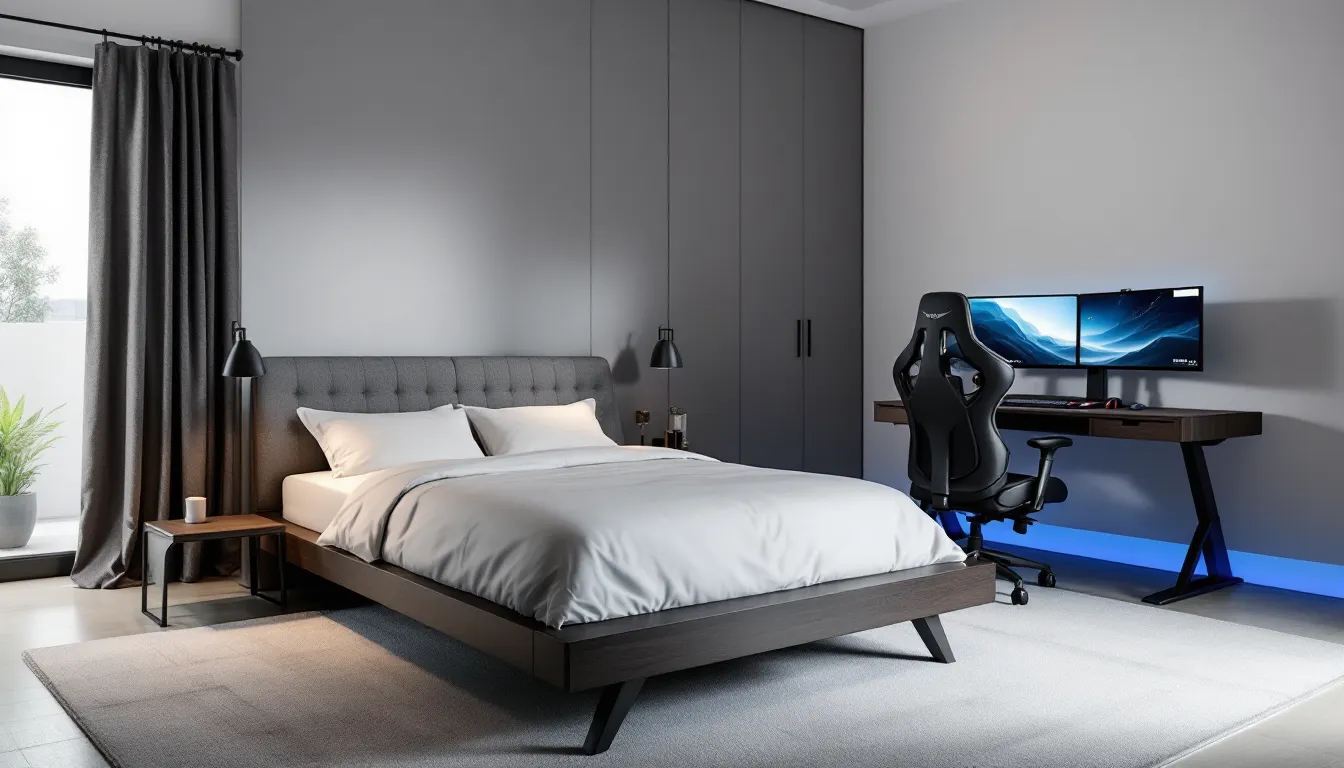
Setting up a dedicated gaming space used to mean sacrificing an entire room, something most gamers just don’t have. But combining a gaming setup with a bedroom isn’t a compromise anymore. It’s a legitimate design strategy that maximizes limited square footage while keeping everything a gamer needs within arm’s reach.
The trick isn’t just cramming a desk next to your bed and calling it done. It’s about intentional layout planning, smart furniture choices, and balancing the stimulation of a high-performance gaming environment with the calm required for actual sleep. Done right, a gaming room with a bed becomes the best of both worlds: a sanctuary for late-night raids and a functional bedroom that doesn’t feel like you’re sleeping in a LAN center.
This guide walks through every critical decision, from layout zoning and bed selection to lighting balance and cable management, so the space works as hard as the rig inside it.
Key Takeaways
- A gaming room with a bed maximizes limited space through strategic zoning, dual-purpose furniture, and vertical storage solutions without sacrificing comfort or gaming performance.
- Thoughtful layout planning—including monitor placement perpendicular to the bed, desk positioning near power outlets, and maintaining 30 inches of traffic clearance—prevents a cramped, chaotic space.
- Investing in ergonomic furniture like a quality gaming chair with lumbar support and a supportive mattress prevents long-term physical strain during extended gaming and sleeping hours.
- Lighting transitions from cool RGB and ambient gaming modes to warm tones and blackout solutions one hour before bed help regulate sleep quality while maintaining gaming immersion.
- Effective cable management, airflow planning, and acoustic treatment balance the gaming room’s technical demands with bedroom functionality and neighbor courtesy.
- Consistent layout flexibility and avoiding common design mistakes—like undersizing desks or blocking ventilation—ensures the space adapts to equipment upgrades and changing preferences over time.
Why Combine Your Gaming Setup and Bedroom?
For many gamers, especially those living in apartments, dorms, or shared housing, merging the gaming space and bedroom isn’t optional, it’s necessity. But even when other rooms are available, there are compelling reasons to keep everything in one place.
Space Optimization Benefits
Small spaces force creativity. A gaming room with a bed leverages vertical storage, dual-purpose furniture, and compact layouts that wouldn’t make sense in a sprawling setup. Wall-mounted shelves hold collectibles and peripherals without eating floor space. Loft beds create entire gaming zones underneath. Murphy beds or daybeds can fold away during marathon sessions, opening up room to move.
For streamers, having everything in one room simplifies equipment placement. Camera angles, lighting rigs, and audio setups stay consistent without needing to relocate between recording and downtime. There’s no wasted square footage dedicated to a bed that only gets used eight hours a day, or a gaming space that sits idle during work hours.
Lifestyle and Convenience Advantages
Having the gaming rig three feet from the bed means zero commute between activities. Finish a competitive match at 2 a.m., shut down the monitors, and collapse. No hallway trek, no disrupting roommates, no cooling down in a separate space.
It also consolidates climate control. Instead of heating or cooling multiple rooms, gamers can focus resources on one well-optimized environment. A single air conditioning unit, strategically placed fans, and proper ventilation keep both gaming sessions and sleep comfortable without running up utility costs.
For those who work from home or attend school remotely, the bedroom setup doubles as an office. One quality desk, one ergonomic chair, one monitor array serves every function, gaming, productivity, streaming, and studying. That’s efficient both financially and spatially.
Planning Your Gaming Room Layout with a Bed
Layout makes or breaks a dual-purpose room. Poor planning creates a cramped, chaotic space where neither gaming nor sleep feels comfortable. Intentional zoning, on the other hand, carves out distinct areas that serve their purposes without conflict.
Assessing Available Space and Dimensions
Before buying a single piece of furniture, measure everything. Room dimensions, door swing clearance, window placement, power outlet locations, and any architectural quirks like sloped ceilings or radiators. Sketch a floor plan, graph paper works, but free tools like Floorplanner or SketchUp let you visualize furniture placement in 3D.
Identify the room’s natural focal points. Where does natural light enter? Where are the outlets concentrated? Is there a wall long enough to accommodate both a bed and a desk without blocking airflow or access? These constraints shape every decision that follows.
For small rooms (under 120 square feet), prioritize vertical space and multifunctional furniture. Mid-sized rooms (120-200 square feet) allow for clearer zoning with distinct gaming and sleep areas. Larger rooms offer flexibility but require intentional design to avoid a scattered, disconnected feel.
Zoning Your Room: Gaming Area vs. Sleep Area
Physical or visual separation between gaming and sleep zones helps the brain shift gears. This doesn’t require actual walls, strategic furniture placement does the job.
Position the bed away from the primary monitor sightline. Waking up to a glowing RGB setup might sound cool, but it disrupts sleep quality. Ideally, the bed should be perpendicular or opposite to the gaming desk, not directly facing it. If the room layout forces proximity, use a bookshelf, curtain, or even a tall plant as a visual divider.
Place the gaming desk near power outlets and ethernet ports to minimize cable runs. Corner desks maximize usable surface area in tight spaces, while L-shaped desks create natural separation between work/gaming and relaxation zones. Avoid positioning the desk directly under overhead lights, glare on monitors kills immersion and strains eyes.
Traffic flow matters. Leave at least 30 inches of clearance between furniture for comfortable movement. Nobody wants to sidestep a gaming chair every time they need to access the closet.
Choosing the Right Bed for Your Gaming Room
The bed anchors the room, often consuming the most floor space. Choosing the wrong size or style sabotages the entire layout.
Space-Saving Bed Options
Loft beds elevate the sleep surface, freeing up the area underneath for a complete gaming station. Popular with college gamers and studio apartment dwellers, loft setups can fit a desk, chair, mini-fridge, and storage cabinets in the footprint of a single bed. The downside? Climbing a ladder after a long session isn’t everyone’s idea of convenience, and ceiling height limits options.
Murphy beds (wall beds) fold vertically into a cabinet when not in use, transforming a bedroom into a full gaming lounge during waking hours. Modern designs include integrated shelving and desk surfaces that remain accessible even when the bed is stowed. The mechanism requires sturdy wall mounting and adds upfront cost, but the space flexibility is unmatched for small rooms.
Daybeds and futons offer dual functionality without mechanical complexity. During the day, they function as seating for friends during local co-op sessions. At night, they convert to a full sleeping surface. Quality matters here, cheap futons with thin mattresses wreck both comfort and posture.
Platform beds with built-in storage drawers underneath hold games, peripherals, cables, and seasonal clothing without requiring additional furniture. Storage beds work especially well in rooms without closets or limited shelving options.
Comfort Considerations for Gamers
Gamers spend extended hours sitting, which often translates to back and neck strain. A supportive mattress counteracts that damage during sleep. Memory foam, hybrid, and latex mattresses provide better spinal alignment than traditional spring mattresses, especially for side sleepers.
Bed size impacts both comfort and layout. Twin or Twin XL beds maximize floor space for gaming setups but feel cramped for taller individuals or anyone who shares the space occasionally. Full-size beds offer a middle ground, reasonable sleeping comfort without dominating the room. Queens work in mid-sized or larger bedrooms but leave less room for expansive gaming setups. Kings rarely make sense unless the room exceeds 250 square feet.
Consider mattress cooling technology. Gamers already generate heat from PCs, consoles, and body activity during intense sessions. A mattress with gel-infused foam or breathable materials prevents the bed from becoming a secondary heat source.
Essential Gaming Furniture and Equipment Setup
Furniture selection directly impacts performance, comfort, and how well the room functions as both gaming space and bedroom.
Gaming Desk Positioning and Selection
Desk size should match the monitor setup. Single-monitor gamers can manage with 48-inch desks, but dual or triple monitor configurations demand at least 60 inches of width. Ultrawide monitors (34-inch or larger) also require deeper desks, at least 30 inches, to maintain proper viewing distance and reduce eye strain.
Height-adjustable standing desks offer flexibility for gamers who alternate between seated and standing play, especially during long streaming sessions. Manual crank models start around $200, while electric variants with memory presets run $400-$700. For those on a budget, fixed-height desks work fine paired with an ergonomic chair and monitor arms for screen positioning.
Desk material affects both aesthetics and durability. Solid wood desks handle weight better but cost more. Particleboard with laminate surfaces keeps costs down but may sag under heavy monitor arms or multiple peripherals. Steel-frame desks with wood or tempered glass tops strike a balance between sturdiness and price.
Position the desk to avoid window glare on monitors. If the only available wall has a window, blackout curtains or vertical blinds give control over natural light without permanent modification.
Gaming Chair Placement and Ergonomics
A quality gaming chair isn’t just marketing hype, it’s injury prevention. Extended sitting in poorly designed chairs leads to lower back pain, neck strain, and poor posture that carries over into daily life. Look for chairs with adjustable lumbar support, armrests that move in multiple directions, and seat depth adjustment.
Leather and PU leather chairs look premium but trap heat during summer or intense sessions. Fabric and mesh chairs breathe better, though they show wear faster. High-end ergonomic office chairs (Herman Miller, Steelcase, Secretlab) cost $400-$1,200 but last 10+ years with proper care. Budget options from Hbada or GTRacing ($150-$300) work for casual gamers who don’t sit for eight-hour stretches.
Position the chair with enough clearance to recline fully without hitting the bed or wall. Many gamers underestimate how much space a reclined gaming chair occupies, budget at least 40 inches behind the chair back if the recline function matters.
Monitor and Display Arrangement
Monitor placement defines the gaming experience. Positioning screens at eye level reduces neck strain, the top of the display should align with or slightly below eye level when seated. Monitor arms free up desk space and allow precise height, tilt, and swivel adjustments that fixed stands can’t match.
For competitive FPS gamers, pro player monitor positioning often favors closer placement (18-24 inches from eyes) with slight downward tilt to reduce eye movement during fast action. This differs sharply from standard ergonomic advice, which recommends 24-30 inches for office work.
Multiple monitor setups require thoughtful angles. Side monitors angled 15-30 degrees inward create an immersive wrap without excessive head turning. Ensure the primary gaming monitor sits dead center to avoid neck strain from prolonged off-axis viewing.
Consider display technology based on room lighting. IPS panels offer better color accuracy and viewing angles but can suffer from IPS glow in dark rooms. VA panels provide deeper blacks and better contrast for moody games. OLED monitors eliminate backlight bleed entirely but carry burn-in risk for static UI elements.
Refresh rate, response time, and resolution matter more than panel size alone. For fast-paced shooters, 240Hz or 360Hz monitors with 1ms response times provide competitive advantages. RPG and strategy gamers benefit more from higher resolutions (1440p or 4K) and color accuracy. Make sure the GPU can actually drive the chosen resolution and refresh rate, a 4K 144Hz monitor is wasted on mid-range hardware struggling to hit 60fps.
Lighting Design for Gaming and Sleep Balance
Lighting transforms the room’s atmosphere but must serve two opposing functions: energizing during gaming and relaxing during sleep prep.
RGB and Ambient Lighting for Gaming
RGB lighting isn’t just for aesthetics, it sets mood and reduces eye strain when used correctly. Bias lighting behind monitors reduces the contrast between bright screens and dark walls, minimizing eye fatigue during extended sessions. LED strips mounted on the back of monitors or desks create ambient glow without direct glare.
Color temperature matters. Cool white (5000K-6500K) increases alertness and works well for competitive gaming, while warm tones (2700K-3000K) feel more relaxed for casual play or story-driven games. Smart LED systems like Philips Hue or Govee allow per-scene adjustments, blue-white for FPS matches, warm amber for RPGs, synced rainbow effects for streaming.
Avoid over-saturated RGB that reflects off monitors or creates distracting motion. Subtle accents beat flashy disco modes unless streaming where visual flair matters for on-camera presence.
Position LED strips to illuminate shelves, collectibles, or architectural features rather than flooding the entire room. Indirect lighting creates depth and visual interest without overwhelming the space.
Managing Light for Better Sleep Quality
Blue light from monitors, RGB setups, and overhead fixtures suppresses melatonin production, making it harder to fall asleep even hours after gaming ends. This creates a real conflict in bedrooms doubling as gaming rooms.
Blackout curtains or cellular shades block external light pollution from streetlights and traffic. For rooms with windows facing east, morning sun can disrupt sleep schedules, light-blocking solutions maintain control over wake times.
Carry out a lighting transition routine. An hour before bed, shift from cool RGB to warm ambient lighting. Some gamers use smart plugs or automation (Google Home, Alexa) to gradually dim lights on a schedule, signaling the body to wind down.
Remove or cover indicator LEDs on peripherals and equipment. That tiny blue LED on a router or speaker might seem harmless but contributes to ambient light that disrupts sleep. Black electrical tape solves this instantly.
Consider bias lighting timers that automatically disable RGB setups at a set hour. Nothing sabotages sleep like forgetting to turn off a pulsing LED strip at 3 a.m.
Cable Management and Organization Solutions
Cable chaos destroys the aesthetic of any gaming room and creates practical headaches, tripping hazards, accidental unplugs during clutch moments, and dust magnets that make cleaning a nightmare.
Start with a power strategy. Surge protectors with multiple outlets handle the load, but cable management power strips with built-in routing channels keep cords organized from the source. Mount power strips under the desk using adhesive mounts or screws to keep them accessible but out of sight.
Cable raceways (plastic channels that mount to walls or desk edges) hide power and data cables running between the PC, monitors, and peripherals. They come in various sizes, measure cable bundles before buying to ensure fit. White or black raceways blend into most room aesthetics better than exposed cable tangles.
Velcro cable ties beat zip ties for gaming setups. They’re reusable, adjustable, and don’t damage cables when gear gets swapped or upgraded. Group cables by function, power cables together, USB peripherals together, display cables together, to simplify troubleshooting.
Desk grommets (circular holes cut into the desk surface) route cables from the top surface down to the underside, where cable trays or baskets keep them bundled and hidden. For desks without grommets, adhesive cable clips guide individual cables along the desk edge or legs.
Label cables. Seriously. When six black cables disappear behind the desk, identifying which belongs to the monitor, USB hub, or speakers during upgrades becomes guesswork. Cheap label makers or even masking tape with marker prevent frustration.
For bed-adjacent setups, keep charging cables for phones, controllers, and headsets within reach but not tangled with PC cables. Nightstand cable organizers or simple adhesive clips keep charging cables from sliding off surfaces when unplugged.
Sound and Acoustics in a Gaming Bedroom
Audio quality impacts immersion, but in a bedroom shared with family or roommates, sound control becomes a courtesy issue, and sometimes a necessity for maintaining relationships.
Headphone vs. Speaker Setup Considerations
Headphones solve most sound conflicts. Closed-back gaming headsets isolate audio, keeping game sounds, voice chat, and music contained. They’re essential for late-night sessions in shared housing or apartments with thin walls. When evaluating options, headset audio quality comparisons break down frequency response and soundstage performance that marketing specs gloss over.
Open-back headphones offer superior soundstage and natural audio reproduction but leak sound in both directions, great for single-occupant rooms, terrible for shared spaces. They also lack noise isolation, so outside sounds (traffic, roommates, HVAC noise) bleed through.
Speakers deliver a more immersive, room-filling experience for single-player games and don’t cause the ear fatigue that headphones can during marathon sessions. Desktop speakers (2.0 or 2.1 setups) fit most gaming desks without overwhelming the space. Positioning matters, place speakers at ear level, angled toward the listening position, and away from walls to minimize bass buildup.
Soundbar setups work for console gamers or those with TVs in the bedroom. They consolidate multiple speakers into a single unit and often include virtual surround processing, though purists argue they can’t match discrete speaker systems.
Soundproofing and Noise Control
True soundproofing requires construction-level intervention (double drywall, insulation, decoupled walls) that’s impractical for renters and expensive for homeowners. Acoustic treatment, but, reduces echo and absorbs sound within the room, making the space sound better and reducing noise bleed.
Acoustic foam panels mounted on walls absorb mid and high frequencies, reducing echo and room reverb. This improves audio clarity for streaming, voice chat, and game audio. Panels behind monitors or on the wall facing the desk deliver the most noticeable impact. Cheap egg-crate foam from Amazon doesn’t perform as well as proper acoustic foam (Auralex, Acoustimac) but costs a fraction.
Bass traps in room corners absorb low-frequency energy that foam panels miss. They’re especially useful for setups with subwoofers or bass-heavy headphones that rattle walls in apartments.
Rugs and soft furnishings (curtains, upholstered furniture, bedding) absorb sound naturally. Hard surfaces (wood floors, bare walls, glass windows) reflect sound, amplifying echo and noise bleed. A thick rug under the desk or gaming chair dampens footstep noise and reduces sound transmission to downstairs neighbors.
For noise-sensitive situations, weatherstripping around doors closes gaps that leak sound. Door sweeps at the bottom prevent audio from escaping into hallways. These cheap fixes won’t turn a bedroom into a studio, but they meaningfully reduce disturbances.
Climate Control and Ventilation for Extended Gaming Sessions
Gaming hardware generates serious heat. Add a human body to the equation, close the door for noise control, and temperatures spike fast, especially in small bedrooms.
Gaming PCs with high-end GPUs can output 300-500 watts of heat during intensive gaming. Consoles add another 100-200 watts. That’s equivalent to running several space heaters in a confined area. Without airflow, the room becomes uncomfortable and hardware throttles performance to avoid overheating.
Position the PC where intake and exhaust fans have clear airflow. Shoving a tower into a closed desk cabinet chokes ventilation, raising component temps and fan noise. Leave at least 6 inches of clearance around intake and exhaust vents. If space is tight, aftermarket case fans or a desk with open-air PC compartments improve circulation.
Ceiling fans move air without the noise or floor space of oscillating fans. Set them to spin counterclockwise in summer (pushing air down) and clockwise in winter (pulling warm air up and circulating it). A ceiling fan alone won’t cool a gaming rig, but it distributes conditioned air more evenly and makes the room feel several degrees cooler.
Portable air conditioners or window AC units tackle heat directly. For gamers in hot climates or poorly ventilated rooms, AC isn’t luxury, it’s necessary for comfort and hardware longevity. Dual-hose portable ACs perform better than single-hose models, which pull conditioned air from the room to exhaust heat, creating negative pressure.
Dehumidifiers help in humid regions where moisture makes moderate temps feel oppressive. High humidity also increases condensation risk on cold surfaces like water-cooled PC components.
Ventilation matters beyond temperature. Closed rooms accumulate CO₂, which impairs focus and reaction times during long sessions. Cracking a window or using a small fan to circulate fresh air from outside prevents stuffiness without cranking AC.
Avoid placing the bed directly in the path of AC vents or fans. Sleeping in direct airflow causes dry skin, sinus irritation, and disrupted sleep. Adjustable vent deflectors redirect conditioned air toward the gaming area without blasting the bed.
Storage Solutions for Gaming Gear and Personal Items
Gaming gear multiplies fast, controllers, headsets, game cases, cables, collectibles, peripherals, and the personal items that normally occupy a bedroom. Without organization, the room devolves into clutter.
Wall-mounted shelves use vertical space without consuming floor area. Floating shelves above the desk hold frequently used items (headsets, controllers, drinks) within arm’s reach. Deeper shelves accommodate game collections, collectibles, or speaker systems.
Cube storage units (like IKEA Kallax) offer modular flexibility. Add fabric bins for cables and accessories, leave some cubes open for consoles or collectibles, and reconfigure as needs change. These units work as room dividers in larger spaces, creating visual separation between gaming and sleep zones.
Pegboards mounted behind or beside the desk organize peripherals, cables, and tools. Hooks and baskets attach anywhere, so the layout adapts to gear changes. Pegboards also add visual interest, spray-paint them to match room colors or leave them natural.
Under-bed storage maximizes otherwise wasted space. Rolling bins, vacuum-sealed bags for seasonal clothing, or shallow drawers for game cases keep items accessible but out of sight. Platform beds with built-in drawers eliminate the need for separate storage furniture.
Desk drawers or rolling file cabinets handle smaller items, thumb drives, adapters, extra mouse pads, cleaning supplies. Shallow drawer organizers prevent junk-drawer chaos where everything gets dumped and nothing’s findable.
Controller charging stations keep wireless peripherals organized and ready. Wall-mounted options save desk space while displaying controllers as part of the room’s aesthetic. Some include storage for games or headsets.
For collectors, display cases protect and showcase high-value items, limited edition controllers, signed memorabilia, or action figures. Wall-mounted cases or desktop risers keep collections visible without cluttering functional surfaces.
Aesthetic and Theme Ideas for Gaming Bedrooms
Aesthetics matter. A thoughtfully designed gaming bedroom feels intentional, not like a college dorm room that happened to acquire a gaming PC.
Color Schemes That Work
Dark color palettes (charcoal, navy, black) create a moody, immersive atmosphere that enhances RGB lighting effects. They also hide dirt and wear better than light colors, a practical advantage in high-traffic gaming spaces. The downside? Dark walls make small rooms feel smaller and absorb light, requiring more artificial lighting.
Light neutrals (gray, beige, white) open up small spaces and reflect light, making rooms feel larger and more comfortable. They provide a clean backdrop that doesn’t compete with RGB lighting or colorful gaming peripherals. But, they show scuffs, fingerprints, and dust more readily.
Accent walls add visual interest without overwhelming the space. Paint the wall behind the gaming setup a bold color, deep blue, forest green, or even matte black, while keeping other walls neutral. Alternatively, removable wallpaper or wall decals (gaming-themed or geometric patterns) create focal points without permanent commitment.
Color coordination between furniture, peripherals, and décor creates cohesion. Matchy-matchy isn’t necessary, but choosing a primary and secondary color (e.g., black furniture with red accents, white setup with blue highlights) ties the room together visually.
Décor and Personalization Tips
Posters and wall art showcase personality but should be framed or mounted properly. Command strips prevent wall damage in rentals. Gallery walls, collections of smaller frames arranged thoughtfully, look more intentional than random posters taped up.
Neon signs (custom or pre-made) add personality and ambient lighting. Gaming-themed signs, favorite quotes, or custom gamertags create focal points. LED neon alternatives cost less and generate less heat than traditional glass neon.
Plants soften the tech-heavy aesthetic of gaming rooms and improve air quality. Low-maintenance options like pothos, snake plants, or succulents thrive in various light conditions and don’t demand constant attention. Keep them away from heat-generating equipment and out of accidental knock-over zones.
Figurine and collectible displays turn passion into décor. Floating shelves, display risers, or glass cases showcase items without cluttering functional surfaces. Lighting (LED strips, puck lights) highlights collections and adds depth.
Cable management itself becomes décor when done well. Color-matched cable sleeves, themed cable clips, or even custom-painted raceways integrate organization into the room’s aesthetic rather than treating it as an afterthought.
Common Mistakes to Avoid When Designing a Gaming Room with a Bed
Even with solid planning, certain pitfalls trip up first-time gaming bedroom designers.
Ignoring ergonomics for aesthetics. A beautiful setup that causes back pain, neck strain, or eye fatigue isn’t sustainable. Monitor height, chair support, and desk dimensions should prioritize comfort over looks. Aesthetics matter, but not at the expense of physical health during 6-hour sessions.
Neglecting cable management until after setup. Routing cables after everything’s in place means crawling under desks, unplugging equipment, and retrofitting solutions. Plan cable paths during setup, not after.
Undersizing the desk. Gaming setups expand. That single monitor becomes dual monitors. The keyboard gets joined by a stream deck, external DAC, or secondary mouse. Buy a desk slightly larger than current needs to accommodate future gear.
Blocking airflow for aesthetics. Tucking the PC into a closed cabinet or pushing the bed against HVAC vents might look cleaner but creates heat and comfort issues. Function trumps form when it comes to ventilation.
Overlooking sleep quality. It’s easy to optimize for gaming and forget the room’s primary function. If RGB lighting, noise, or temperature control interferes with sleep, performance suffers both in-game and in daily life. Balance the dual purposes.
Choosing furniture based on price alone. A $100 chair might seem fine initially, but after months of use, poor lumbar support and cheap materials show. Investing in quality furniture (especially chairs and desks) pays off in durability and comfort. For guidance on evaluating furniture ergonomics and build quality, setup optimization resources offer practical testing methods beyond manufacturer marketing.
Skipping a layout plan. Winging furniture placement leads to awkward traffic flow, poor monitor angles, and wasted space. Measure, sketch, and plan before moving heavy furniture.
Forgetting about future upgrades. Gaming tech evolves fast. Leave room in the budget and layout for potential monitor upgrades, additional peripherals, or new consoles. A setup that’s maxed out spatially or financially on day one has nowhere to grow.
Conclusion
A gaming room with a bed isn’t a fallback option, it’s a practical, space-efficient solution that serves dual purposes without sacrificing either function. The key is treating both gaming and sleep as equal priorities rather than letting one dominate at the other’s expense.
Successful dual-purpose rooms come from intentional decisions: thoughtful layout zoning, furniture that supports long sessions, lighting that transitions from energizing to relaxing, and organization systems that prevent clutter from overtaking the space. None of this requires massive budgets or professional interior designers, just planning, measurement, and a willingness to prioritize comfort alongside performance.
The best gaming bedrooms evolve. Gear changes, preferences shift, and new furniture or tech gets added over time. Build flexibility into the setup from day one, and the space will adapt as gaming habits and living situations change.