

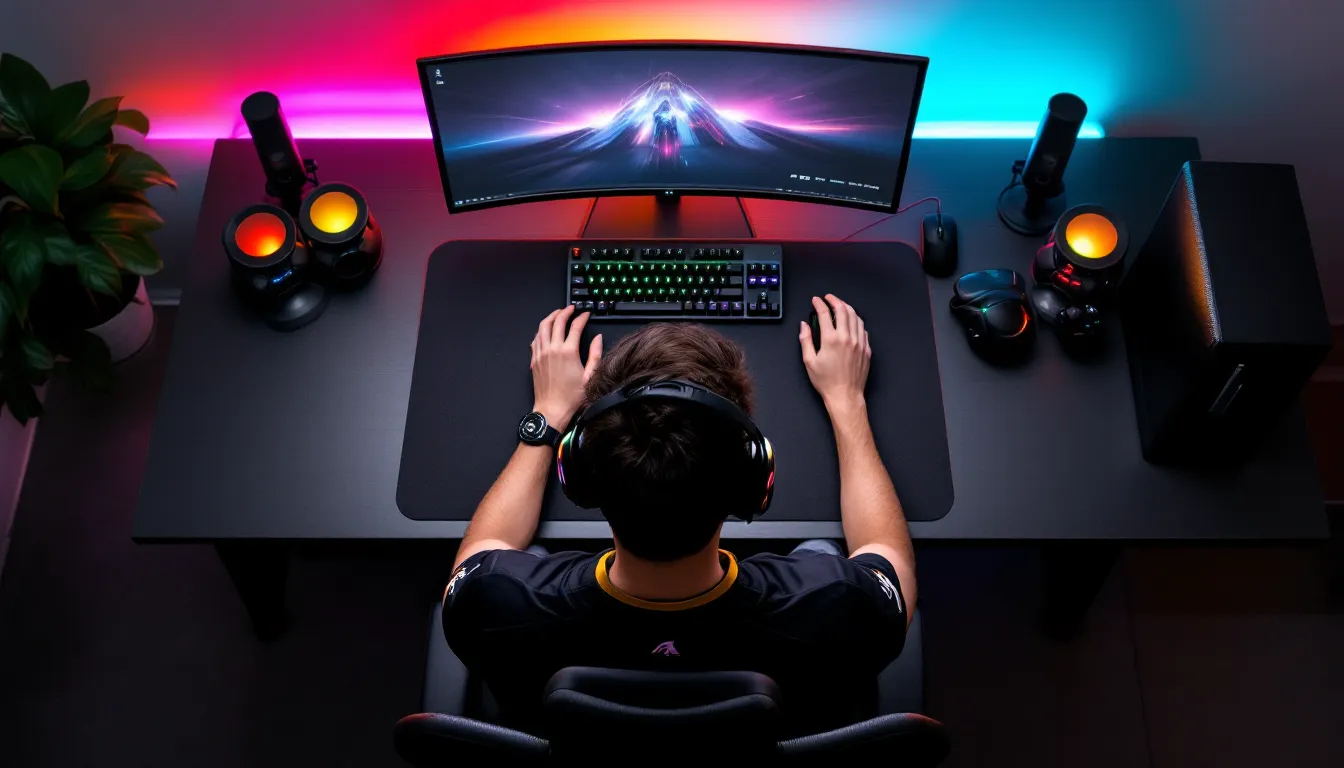
Choosing a keyboard size isn’t just about aesthetics or desk space, it directly impacts your gaming performance, especially if you’re running low sensitivity in FPS titles or need precise mouse movements during clutch moments. The difference between a full-size board and a 60% compact can mean extra inches of mouse pad real estate, better ergonomics, or the frustration of missing dedicated arrow keys mid-match.
In 2026, the keyboard market offers more form factors than ever, each with trade-offs that matter depending on your gaming genre, desk setup, and whether you’re grinding ranked matches or creating content between sessions. This guide breaks down every major keyboard size, from full 100% layouts to ultra-compact 60% boards, with the specific scenarios where each excels and where they fall short. No filler, just the data you need to make the right call.
Key Takeaways
- TKL (80%) and 65% keyboard sizes deliver the optimal balance for competitive FPS gaming by maximizing mouse pad access while retaining essential keys like arrow keys and function row.
- Best keyboard size for gaming depends on your genre: full-size for MMOs with 30+ keybinds, TKL for FPS titles, and 60% for dedicated single-game competitors willing to use function layers.
- Keyboard size directly impacts gaming performance in aim-intensive games; compact layouts (TKL and smaller) reclaim 3-6 inches of horizontal desk space critical for low-sensitivity mouse movements.
- Full-size keyboards with numpads improve ergonomics for productivity tasks but force wider shoulder positioning and reduce mouse pad space, making them less ideal for competitive play.
- 75% keyboards offer a premium middle ground, compressing full functionality into minimal space without the learning curve of 60% boards, ideal for gamers who also use their desk for work or creative tasks.
- Beyond keyboard size, switch type, polling rate, and stabilizer quality significantly impact gaming feel and performance, with mechanical switches and quality stabilizers providing consistent, responsive inputs.
Understanding Keyboard Sizes: What Every Gamer Should Know
Keyboard sizes are defined by the percentage of keys they retain compared to a standard full-size layout, which sits at 100%. Each reduction in size typically removes specific key clusters while maintaining core typing and gaming functionality.
Here’s the breakdown:
- 100% (Full-Size): 104-108 keys including numpad, function row, navigation cluster, and arrow keys
- TKL/80% (Tenkeyless): 87-88 keys, removes the numpad entirely
- 75%: 84 keys, compresses navigation cluster into a compact column adjacent to the main block
- 65%: 68 keys, eliminates function row and navigation cluster, keeps arrow keys and a few essential keys like Delete
- 60%: 61 keys, removes everything beyond the main alphanumeric block, no arrow keys, function row, or dedicated navigation without layers
The jump between sizes isn’t just about counting keys. It’s about muscle memory, available desk space, and whether you can tolerate function layers for accessing secondary inputs. A TKL board saves roughly 3-4 inches of horizontal space compared to full-size. Drop to 60%, and you’re looking at 5-6 inches reclaimed, space that translates directly into mouse movement range.
Most modern gaming keyboards use standardized key spacing (19.05mm center-to-center), so the actual typing feel remains consistent across sizes. What changes is the distance your hand travels for specific inputs and whether you’re relying on dedicated keys or Fn layer combinations.
Full-Size (100%) Keyboards: The Complete Arsenal
Full-size keyboards are the default for a reason: every key has a dedicated physical button, no layers required. They’re immediately intuitive, which matters if you’re switching between gaming, productivity work, and content creation without wanting to relearn muscle memory.
When Full-Size Makes Sense for Gaming
Full-size boards excel in genres that demand heavy keybind usage beyond WASD and surrounding keys. MMOs like Final Fantasy XIV or World of Warcraft benefit enormously from the numpad, those 17 extra keys can house macros, ability rotations, or mount keybinds without awkward finger stretching. Same goes for strategy titles (Stellaris, Age of Empires IV) where camera controls, unit groups, and building hotkeys stack up fast.
If you’re using your setup for work or creative tasks alongside gaming, the numpad is non-negotiable for data entry, video editing shortcuts, or CAD software. Hybrid users who don’t want to swap keyboards mid-day will appreciate the versatility.
Many professional players who compete in titles with high keybind counts, like Apex Legends with its movement tech and ability juggling, still use full-size boards. The navigation cluster (Home, End, Page Up/Down) also helps for quick document or chat navigation without leaving your keyboard.
Drawbacks for Competitive Gamers
The numpad pushes your mouse hand farther to the right, which forces a wider shoulder stance and can lead to fatigue during long sessions. For FPS players running low sensitivity (anything below 800 DPI with sub-1.0 in-game multipliers), the restricted mouse pad space becomes a liability. You’ll either clip your keyboard during wide flicks or cramp your movement range.
Full-size boards also dominate desk space, leaving less room for larger mouse pads, a problem if you’re using something like a 36-inch extended pad. The extra width matters in competitive setups where every inch of horizontal sweep counts for tracking or 180-degree turns.
If you’re not actively using the numpad during gaming, you’re hauling dead weight. That’s fine for casual sessions, but competitive players optimize every element of their setup, and unused keys are just unnecessary bulk.
Tenkeyless (TKL/80%) Keyboards: The Sweet Spot for Most Gamers
TKL keyboards remove the numpad but keep everything else, function row, arrow keys, and the six-key navigation cluster. It’s the most popular compromise in gaming, offering nearly full functionality while reclaiming critical desk space.
Why TKL Dominates in Esports
Walk into any major esports tournament and you’ll see TKL boards everywhere. Pros gravitate toward them because the reduced footprint allows a more natural, centered mouse position without sacrificing essential keys. Your shoulders sit closer together, reducing strain during marathon practice sessions.
Many pro player setups feature TKL layouts precisely because they optimize mouse pad access. In titles like Valorant or CS2, where crosshair placement and micro-adjustments define skill ceilings, having an extra 3-4 inches of horizontal mouse travel can make the difference between hitting a headshot or whiffing.
TKL boards keep the function row, which matters for games that bind crucial actions there, push-to-talk, scoreboard toggles, or quick-access overlays. Arrow keys remain accessible for menu navigation or secondary movement in strategy titles. You’re sacrificing almost nothing for gameplay while gaining tangible ergonomic benefits.
Ideal Gaming Genres for TKL
TKL excels in FPS titles (Valorant, Overwatch 2, Call of Duty) where movement and aiming precision dominate. The layout provides enough keys for weapon swaps, abilities, and utility without the numpad pushing your mouse hand into an awkward position.
Battle royales like Fortnite or Apex also pair well with TKL. Building, looting, and inventory management need accessible keybinds, but the genre’s fast-paced nature benefits from unrestricted mouse movement more than it needs 17 extra macro keys.
Even MOBA players (League of Legends, Dota 2) find TKL ideal since these games rely on mouse inputs heavily and use relatively few keyboard keys. Item actives, abilities, and pings fit comfortably within the TKL layout without requiring numpad overflow.
The only genres where TKL might feel limiting are MMOs with 30+ active keybinds or productivity-heavy workflows requiring constant numpad use. For pure gaming, though? It’s hard to beat.
75% Keyboards: Compact Without Compromise
The 75% layout is essentially a TKL board compressed into a tighter footprint. It keeps the function row, arrow keys, and most navigation keys, but squeezes everything into a layout barely larger than a 65%. The gap between the main alphanumeric block and the side column disappears, creating a dense, efficient design.
Keys like Delete, Page Up/Down, and Home/End sit in a vertical column on the far right, usually right next to the Backspace and Enter keys. Some 75% boards use a slightly taller layout (adding an extra row) to maintain spacing, while others compress everything into the same horizontal plane as a 65%.
This layout has surged in popularity since 2024, especially with custom keyboard enthusiasts and gamers who want maximum functionality in minimal space. Brands like Keychron and GMMK have pushed 75% boards hard, and the market responded.
For gaming, the 75% layout offers nearly identical benefits to TKL, better mouse pad access, centered ergonomics, and plenty of dedicated keys, while saving an additional inch or so of desk space. The compressed design does mean less breathing room between key clusters, which can lead to accidental presses if you have larger hands or aren’t used to the tighter layout.
Function keys remain accessible without layers, which is critical for games that use F1-F12 for scoreboard, voice chat, or ability shortcuts. Arrow keys stay dedicated, so menu navigation and secondary movement inputs don’t require awkward Fn combinations.
The trade-off? Key spacing can feel cramped initially. If you’re constantly hitting Page Down when you meant to press the right arrow, the adjustment period might be rough. But for gamers with limited desk space or those who travel to LAN events, the 75% layout delivers full-size functionality in a backpack-friendly package.
Testing and reviews from sources like PCMag frequently highlight 75% boards as ideal for hybrid setups, gaming at night, productivity during the day, without needing multiple keyboards.
65% Keyboards: Minimalist Gaming Performance
The 65% keyboard removes the function row and most navigation keys but keeps arrow keys and a handful of essentials like Delete and sometimes Page Up/Down. It’s the first true minimalist layout that doesn’t require heavy reliance on function layers for basic navigation.
Visually, 65% boards look clean and compact. They save significant desk space compared to TKL, roughly 5 inches horizontally, while maintaining arrow keys, which many gamers consider non-negotiable for menu navigation and certain game inputs.
Best Use Cases for 65% Layouts
65% keyboards shine in FPS and competitive gaming where keybind counts stay low. Titles like Valorant, CS2, or Overwatch 2 rarely need more than 15-20 active keys during gameplay. WASD, abilities, weapon swaps, crouch, jump, reload, it all fits comfortably within the 65% layout without layer juggling.
The smaller footprint also benefits gamers with small desks or minimalist setups. If you’re gaming on a 40-inch desk shared with monitors, speakers, and peripherals, every inch matters. The 65% gives you maximal mouse pad real estate without sacrificing core functionality.
Another advantage: portability. Competitive players who travel to tournaments or LAN events appreciate the smaller size for packing and transport. A 65% board fits in most backpacks without the bulk of a TKL or full-size.
Potential Limitations to Consider
The missing function row is the biggest adjustment. If your games bind crucial actions to F1-F12, scoreboard, voice chat, overlays, you’ll need to either remap them or use Fn layer combinations. That’s fine once you’ve adjusted, but it adds a learning curve.
Navigation keys like Home, End, and Page Up/Down either disappear entirely or live on a function layer. For most gaming, that’s irrelevant. But if you alt-tab frequently to browse guides, chat, or stream dashboards, the lack of dedicated navigation might slow you down.
MMO players or strategy gamers with heavy keybind requirements will find the 65% restrictive. Without a numpad or extra macro keys, you’re limited to the core alphanumeric block and a few modifiers. It’s doable, but far from ideal compared to TKL or full-size.
If you primarily play single-genre games with simple keybind needs and want maximum desk space, the 65% layout nails the balance. Anything beyond that, and you might feel the constraints.
60% Keyboards: Ultra-Compact for Dedicated Gamers
The 60% keyboard strips away everything beyond the main alphanumeric block. No arrow keys, no function row, no navigation cluster. What you get is 61 keys and a form factor roughly the size of a large mouse pad.
At first glance, it seems extreme. And for general use, it is. But for gamers who rarely venture beyond WASD, numbers, and a few modifier keys, the 60% layout offers unmatched desk space and aesthetic minimalism.
The appeal is straightforward: maximum mouse pad access, symmetric desk setup, and a clean visual profile. If you’re running ultra-low sensitivity and need sweeping mouse movements, the 60% gives you every inch of horizontal space your desk allows.
Learning Curve and Layer Functionality
The biggest hurdle with 60% boards is the function layer. Arrow keys, F1-F12, Delete, Home, End, they all require Fn key combinations. For example, arrow keys typically live on a layer accessed via Fn + IJKL or Fn + WASD, depending on the board’s layout.
This isn’t a problem during active gameplay. Most competitive titles don’t touch arrow keys or function rows once you’re in a match. But menu navigation, keybind customization, or anything outside core gameplay becomes more tedious.
If you’re someone who frequently alt-tabs between game, Discord, browser, and streaming software, the lack of dedicated navigation will slow you down. Muscle memory takes time to adjust, and even experienced users occasionally fumble for missing keys.
That said, 60% boards are popular in the custom keyboard community and among minimalist gamers for good reason. Once you’ve internalized the layers, the layout becomes second nature. Many users report they don’t even think about the missing keys after a few weeks.
60% boards are best suited for dedicated FPS players who live in a single title and rarely need more than core gaming keys. If you’re grinding ranked Valorant, CS2, or Apex and your life revolves around aim training and competitive matches, the 60% layout won’t hold you back, and the desk space gains are substantial.
For everyone else, especially hybrid gamers, MMO players, or content creators, the 60% layout sacrifices too much functionality for the space savings. It’s a specialized tool, not a general-purpose solution.
How Desk Space Impacts Gaming Performance
Desk space isn’t just about aesthetics or keeping your setup tidy, it directly affects gaming performance, particularly in aim-intensive genres. Keyboard size plays a major role in how much room you have for mouse movement, which in turn influences your effective sensitivity range and ergonomic positioning.
Mouse Movement Range and Low Sensitivity Gaming
Low-sensitivity players, those running 400-800 DPI with in-game multipliers below 1.0, need significant horizontal mouse pad space for full range of motion. A 180-degree turn in CS2 or Valorant at low sens can require 10-15 inches of lateral movement. If your keyboard crowds your mouse pad, you’re either clipping your board mid-flick or artificially limiting your movement range.
Switching from a full-size to a TKL or 65% board reclaims 3-6 inches of horizontal space, which translates to extended mouse pad coverage. That extra space lets you complete full arm sweeps without hitting your keyboard, reducing the need for awkward pickup-and-recentering during intense fights.
Displays and peripherals tested by sites like RTINGS consistently emphasize mouse pad size and placement as critical factors in FPS performance. Larger pads paired with compact keyboards allow for optimal low-sens setups without desk overcrowding.
Conversely, if you’re a high-sensitivity player (1600+ DPI, higher in-game multipliers), desk space matters less. You’re making micro-movements with wrist flicks rather than full arm sweeps, so keyboard size becomes more about personal preference than performance necessity.
Ergonomics and Shoulder Positioning
Full-size keyboards push your mouse hand farther to the right, forcing a wider shoulder stance. Over long sessions, this leads to fatigue, tension, and even repetitive strain injuries. Your shoulders shouldn’t be splayed wide during gaming, you want a natural, relaxed posture with arms at roughly shoulder width.
Compact keyboards (TKL, 75%, 65%) allow you to center your mouse hand more naturally, keeping your shoulders aligned and reducing strain. This is especially important for streamers, content creators, or competitive players logging 6-8 hour sessions regularly.
The difference might seem minor during a single match, but over weeks and months, improved ergonomics reduce fatigue and help maintain consistent performance. Posture matters more than most gamers realize, and keyboard size is a major contributor to desk ergonomics.
Choosing Based on Your Gaming Style and Genre
The “best” keyboard size depends entirely on what you play, how you play it, and what else you do at your desk. There’s no universal answer, just trade-offs that align with specific use cases.
FPS and Competitive Gaming
For competitive FPS players, TKL (80%) or 65% layouts are the gold standard. These sizes maximize mouse pad access while retaining all necessary keys for movement, abilities, and utility. Arrow keys remain available for menu navigation, and the compact footprint improves ergonomics.
If you run low sensitivity and prioritize aim precision, the extra desk space from a TKL or smaller board directly enhances performance. Full-size keyboards introduce unnecessary bulk, and 60% boards sacrifice too much functionality for diminishing returns.
Exception: If you’re a hybrid player who also dabbles in MMOs or productivity tasks, consider 75% instead of 65%. You keep the function row for quick-access keybinds without sacrificing much space.
MMOs and Strategy Games
MMO and RTS players benefit most from full-size (100%) keyboards. Titles like World of Warcraft, Final Fantasy XIV, or StarCraft II demand high keybind counts, and the numpad provides 17 extra macro-friendly keys without awkward finger stretching.
Navigation keys (Home, End, Page Up/Down) also see heavy use in these genres for inventory management, chat scrolling, and camera control. Function keys often house core abilities, raid markers, or voice chat toggles.
If you’re playing MMOs seriously, the numpad isn’t optional, it’s essential. Trying to map 30+ abilities onto a 65% or 60% board via layers is technically possible but wildly inefficient compared to dedicated keys.
That said, if you play MMOs casually and don’t need every possible keybind, a TKL can work. You’ll lose the numpad but keep function and navigation keys, which covers most core gameplay needs.
Hybrid Gamers and Content Creators
If your setup serves multiple purposes, gaming, streaming, video editing, coding, you need flexibility. TKL or 75% layouts offer the best balance. You keep function keys for software shortcuts, arrow keys for navigation, and enough gaming functionality for most genres.
Full-size boards work here too, especially if you frequently use numpad for data entry, video editing timelines, or 3D software shortcuts. The trade-off is desk space and ergonomics, which matter less if you’re not playing aim-intensive FPS titles.
60% boards are too restrictive for hybrid use unless you’re willing to memorize layers and deal with slower navigation outside gaming.
Other Factors That Matter Beyond Size
Keyboard size is critical, but it’s not the only variable that impacts gaming performance. Once you’ve narrowed down your preferred form factor, consider these additional elements:
Switch Type: Mechanical switches define feel, actuation force, and noise. Linear switches (Red, Black) are popular for gaming due to smooth, consistent keypresses without tactile bumps. Tactile switches (Brown, Clear) offer feedback without loud clicks. Clicky switches (Blue, Green) provide audible and tactile feedback but can be distracting in voice comms. Actuation distance matters too, speed switches (Silver, Rapid) actuate at 1.0-1.2mm instead of the standard 2.0mm, which can improve reaction time in fast-paced games.
Polling Rate and Latency: Modern gaming keyboards typically run at 1000Hz polling rate, reporting inputs every 1ms. Some high-end boards now offer 2000Hz or even 4000Hz, though the real-world advantage is debatable beyond placebo. Wireless latency has also improved dramatically, premium wireless boards from Logitech, Corsair, and Razer now match or exceed wired performance, sitting under 1ms response time.
Keycap Material and Profile: PBT keycaps resist shine and wear better than ABS, maintaining texture over years of use. Keycap profile (OEM, Cherry, SA, DSA) affects typing feel and ergonomics. Most gaming boards ship with OEM profile, which is fine for general use, but enthusiasts often swap to Cherry or custom profiles for improved comfort.
Hot-Swap PCBs: Hot-swappable keyboards let you change switches without soldering, which is a game-changer for testing different switch types or replacing worn switches. Most enthusiast and custom boards now offer hot-swap, though budget options may still require soldering.
Build Quality and Stabilizers: Cheap stabilizers on larger keys (Spacebar, Shift, Enter) introduce rattle and inconsistent feel. Quality boards use lubed, clipped stabilizers for smooth, quiet operation. Aluminum or steel frames reduce flex and improve durability compared to plastic chassis.
Software and Macro Support: If you need complex macros, per-key RGB customization, or profile switching, software matters. Brands like Corsair iCUE, Razen Synapse, and Logitech G Hub offer robust customization, while enthusiast boards often use open-source firmware like QMK or VIA for deeper programming.
None of these factors override the importance of choosing the right size for your gaming needs, but they refine the experience once you’ve locked in your form factor.
Conclusion
Keyboard size isn’t a one-size-fits-all decision, it’s a deliberate choice based on your gaming genre, desk constraints, and how much functionality you’re willing to trade for space and ergonomics. For most competitive gamers, TKL or 65% layouts hit the sweet spot: enough keys to handle any FPS or battle royale without cramping your mouse movement. MMO and strategy players still benefit from full-size boards where numpad and navigation keys carry real weight. And ultra-minimalists grinding a single title can push to 60% if they’re willing to embrace function layers.
The best move? Identify what you actually use during gaming sessions. If you never touch the numpad or function row mid-match, hauling them around is just dead weight. Reclaim that desk space, center your mouse hand, and let your setup work for your playstyle instead of against it.