

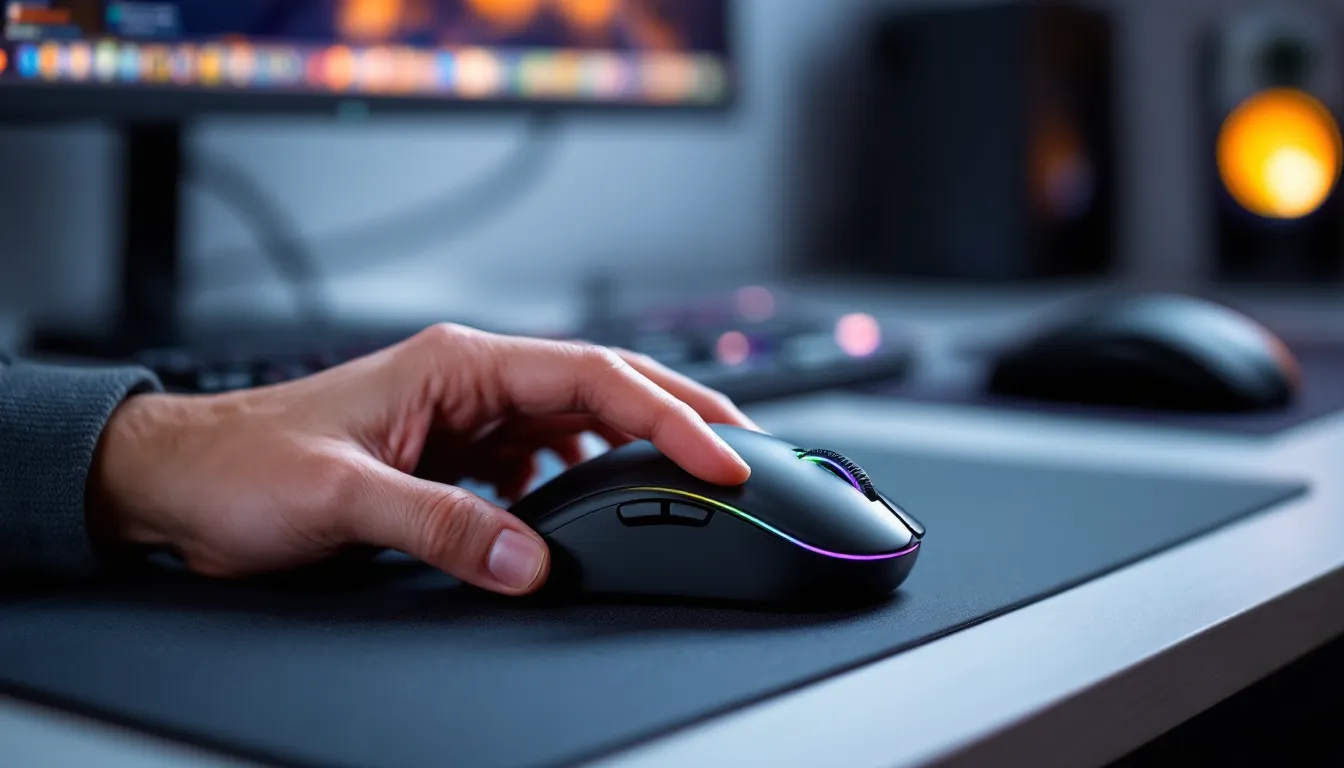
Finding the right gaming mouse isn’t one-size-fits-all, especially when you’ve got smaller hands. Most gaming mice are designed for medium-to-large grips, leaving players with compact hands dealing with awkward stretches, accidental clicks, and sluggish response times. That’s not just uncomfortable: it’s a competitive disadvantage.
Whether you’re clutching for headshots in Valorant or micromanaging units in StarCraft II, the wrong mouse can tank your performance. The good news? Gaming peripheral manufacturers have finally started addressing the gap, and 2026 has brought a solid lineup of compact, high-performance mice built specifically for smaller grips. This guide breaks down everything you need to know: how to measure your hand, what features actually matter, and which gaming mouse for small hands deserves your desk space.
Key Takeaways
- A gaming mouse for small hands must measure 110-122mm in length and weigh 55-70g to provide optimal control, precision, and reduced fatigue during extended gaming sessions.
- Grip style (palm, claw, or fingertip) determines which mouse dimensions work best—small hands using claw grip typically benefit from 115-122mm mice, while fingertip grippers prefer sub-115mm models.
- Modern wireless gaming mice now match wired performance with sub-1ms latency and 90+ hour battery life, making them the better choice for small hands since they eliminate cable drag on shorter swipes.
- Prioritize sensor quality and button placement over marketing specs like max DPI; what matters is zero acceleration, low lift-off distance (1-2mm), and forward-positioned side buttons within easy reach.
- The Logitech G Pro X Superlight 2 and Razer Viper V3 Pro are top picks for small-handed gamers, offering compact dimensions, lightweight builds, and flawless tracking at competitive price points.
- Avoid common mistakes like chasing DPI numbers, ignoring grip style, buying on aesthetics alone, and skipping the return window—always test a mouse for at least a week before committing.
Why Mouse Size Matters for Gaming Performance
Mouse fit isn’t just about comfort, it’s about precision, speed, and endurance. When a mouse is too large for your hand, you’re forced to overextend your fingers to reach side buttons or maintain grip during flicks. That millisecond delay in repositioning your hand can be the difference between landing a clutch shot and choking the round.
Smaller hands also struggle with weight distribution on oversized mice. If you can’t palm or claw grip properly, you’ll compensate with wrist tension, leading to fatigue during long sessions. Over time, poor ergonomics can contribute to repetitive strain injuries, a real concern for anyone grinding ranked or streaming daily.
Then there’s control. A properly sized gaming mouse for small hands allows for tighter micro-adjustments and smoother tracking. You’re not wrestling with excess bulk or awkward button placements. Instead, your movements translate directly into cursor accuracy, which is critical for low-TTK shooters and high-APM strategy games.
Finally, confidence matters. When your gear fits right, you stop thinking about it. You’re not adjusting your grip mid-fight or missing clicks because the M1 button sits too far forward. You’re just playing. That mental bandwidth adds up, especially in high-pressure moments.
How to Measure Your Hand for the Perfect Gaming Mouse
Hand Measurement Guide
Measuring your hand takes about thirty seconds and removes all the guesswork. Grab a ruler or measuring tape and follow these steps:
- Measure hand length: Place your hand flat on a table with fingers extended. Measure from the tip of your middle finger to the base of your palm (where your wrist creases). Anything under 17cm (6.7 inches) typically qualifies as a small hand.
- Measure hand width: Measure across your palm at the widest point, usually just below your knuckles. Widths under 8.5cm (3.3 inches) pair best with narrower mouse designs.
These numbers give you a baseline, but grip style (covered next) matters just as much. A 16.5cm hand using fingertip grip will prefer different dimensions than the same hand using palm grip.
Grip Styles and Small Hands: What You Need to Know
Your grip style dictates how much mouse surface area you actually use, and which models will feel natural.
Palm Grip: Your entire hand rests on the mouse, with your palm contacting the back hump. For small hands, this requires a compact overall length (under 120mm) and a lower profile to avoid forcing an awkward arch. Palm grippers need excellent back support but can’t afford a mouse that’s too tall or long.
Claw Grip: Fingertips and palm base make contact, with an arched hand creating space in the middle. This is the most popular grip for small hands because it offers control without requiring full coverage. Look for mice with pronounced humps in the rear third and shorter overall lengths (115-122mm).
Fingertip Grip: Only your fingertips touch the mouse: your palm hovers. This grip demands the smallest mice, ideally under 115mm in length and lightweight (sub-65g). Since you’re not relying on palm support, shape matters less than weight distribution and sensor placement.
Most players blend grips depending on the game. You might palm grip for casual sessions but shift to claw during competitive matches. That’s normal. The key is finding a mouse that accommodates your primary grip without punishing you for adjusting on the fly.
Key Features to Look for in a Gaming Mouse for Small Hands
Size and Dimensions
This is the non-negotiable. For small hands, you’re looking at:
- Length: 110-122mm (anything over 125mm will feel oversized)
- Width: 55-65mm (narrow enough to grip comfortably without finger splaying)
- Height: 35-42mm (low enough to avoid palm strain in claw/fingertip grips)
Some mice list these specs: others don’t. When in doubt, check user reviews or community forums, Reddit’s r/MouseReview is a goldmine for hand size discussions.
Weight Considerations
Lighter isn’t always better, but it usually helps. Small hands generate less leverage, so moving a 90g mouse requires more effort than a 60g model. Most competitive players with smaller grips prefer mice in the 55-70g range.
That said, if you’re used to a heavier mouse, dropping to 50g might feel too floaty at first. Give yourself a few days to adjust. Once you adapt, the reduced fatigue is noticeable, especially during marathon sessions.
Avoid adjustable weights. They add bulk and rarely sit in a position that benefits compact hands. Stick with fixed-weight designs optimized from the start.
Sensor Performance and DPI
Sensor quality trumps max DPI. Any modern gaming mouse worth considering uses a PixArt 3370, 3395, or equivalent sensor with flawless tracking up to at least 20,000 DPI. For reference, most pros play between 400-1,600 DPI: anything above 3,200 is marketing.
What you actually want:
- Zero acceleration or prediction: Raw input only
- Low lift-off distance (LOD): 1-2mm max, so micro-adjustments don’t lose tracking
- High polling rate: 1,000Hz minimum, though some 2026 models push 4,000Hz or 8,000Hz for marginal latency reduction
Smaller hands benefit from slightly higher DPI because you’re working with shorter swipes. If you’re used to 400 DPI on a large mouse, you might find 800-1,200 DPI more comfortable on a compact model.
Button Placement and Accessibility
If you can’t reach the side buttons without shifting your grip, they’re useless. For small hands, look for:
- Forward-placed side buttons: Positioned within the first third of the mouse, not halfway back
- Low-profile buttons: Easier to press without overextending
- Two side buttons max: More than that gets cramped
Some manufacturers design “ambidextrous” mice with side buttons on both flanks. That sounds convenient but often adds width. Unless you’re actually ambidextrous, skip these for dedicated right-handed (or left-handed) models with optimized button layouts. According to testing from Tom’s Hardware, button placement variance can affect click response times by up to 12ms in compact mice, small margin, but it matters in high-refresh-rate environments.
Top 7 Gaming Mice for Small Hands in 2026
Best Overall: [Product Category]
The Logitech G Pro X Superlight 2 remains the gold standard for small-to-medium hands. At 117mm x 63.5mm x 40mm and weighing just 60g, it’s compact without feeling toy-like. The Hero 2 sensor delivers flawless tracking up to 32,000 DPI (overkill, but nice to have), and the symmetrical shape works for claw and fingertip grippers.
Side buttons sit perfectly within reach, and the battery lasts 95+ hours on a single charge. It’s pricey at $159, but pros across CS2, Valorant, and Apex Legends swear by it for a reason. If you can only buy one mouse, this is it.
Best Budget Option: [Product Category]
The Pulsar X2H Mini punches way above its $69 price point. Dimensions clock in at 114mm x 60mm x 38mm, and it weighs 55g, lighter than most flagships. The PAW3395 sensor (a PixArt variant) handles up to 26,000 DPI without jitter, and the build quality rivals mice twice the price.
Don’t expect premium software or RGB bling, but if you want raw performance on a budget, the X2H Mini delivers. It’s especially solid for fingertip grippers who prioritize weight over bells and whistles.
Best Wireless: [Product Category]
Razer’s Viper V3 Pro nails the wireless experience for small hands. At 116mm x 62mm x 39mm and 61g, it’s nearly identical in footprint to the G Pro X Superlight 2 but undercuts it by $10. The Focus Pro 35K sensor is overkill (35,000 DPI), but the real win is the 90-hour battery life and near-zero latency via HyperSpeed Wireless.
Razer’s optical switches eliminate debounce delay, shaving off another millisecond or two. If you’re chasing every marginal advantage in competitive FPS, this is your pick.
Best for FPS Gaming: [Product Category]
The Finalmouse UltralightX redefines what a gaming mouse for small hands can do in shooters. At 112mm x 58mm x 37mm and an absurd 47g, it’s the lightest production mouse available. The custom Pixart sensor hits 25,000 DPI, and the carbon fiber shell feels indestructible even though the featherweight design.
Downsides? It’s $189, and stock drops sell out in minutes. But if you play tac shooters where every flick counts, the reduced inertia is a legitimate edge. Players with 16-17cm hands using fingertip grip will find this thing glued to their palm.
Best for MOBA Gaming: [Product Category]
The SteelSeries Rival 3 Wireless strikes a balance between compact size and MOBA-friendly button layouts. At 120mm x 67mm x 38mm, it’s on the larger end of “small,” but the 58g weight and six programmable buttons make it ideal for ability-heavy games like League or Dota 2.
The TrueMove Air sensor (PixArt-based) handles 18,000 DPI, and the side buttons are larger and easier to distinguish mid-teamfight. Battery life stretches to 400 hours (no RGB), and it’s only $79. If you prioritize functionality over ultra-compact dimensions, this is the move.
Best Lightweight Option: [Product Category]
Zaunkoenig M2K takes “lightweight” to the extreme: 24g. Yes, twenty-four grams. It’s a fingertip-grip-only design measuring 100mm x 52mm x 25mm, and it feels more like air than hardware. The custom optical sensor tracks up to 8,000 DPI, and there are zero side buttons, just M1, M2, and a scroll wheel.
This isn’t for everyone. The learning curve is steep, and at $299, it’s niche. But for players with sub-16cm hands who’ve mastered fingertip grip, the M2K offers unmatched agility. Think of it as the Formula 1 car of gaming mice: fast, unforgiving, and built for specialists.
Best Ergonomic Design: [Product Category]
The ASUS ROG Keris II Ace prioritizes comfort without sacrificing performance. At 119mm x 62mm x 39mm and 59g, it’s slightly larger than the Viper V3 Pro but features a right-handed ergonomic shell with a pronounced thumb groove.
The ROG AimPoint Pro sensor (36,000 DPI max) pairs with ROG SpeedNova wireless tech for 1ms response times, and the battery lasts 119 hours. If you’ve got small hands but prefer palm grip, this is your best bet. Reviewers at PC Gamer highlighted its comfort during extended sessions, noting reduced thumb strain compared to symmetrical designs.
Wired vs. Wireless: Which Is Better for Small Hands?
Five years ago, this was a real debate. In 2026, it’s settled: wireless has caught up. Modern wireless mice like the G Pro X Superlight 2 or Viper V3 Pro offer sub-1ms latency, indistinguishable from wired in blind tests. Battery tech has also matured, expect 90+ hours per charge, even with RGB enabled.
That said, wired still has niche advantages. If you’re playing in a tournament with unfamiliar peripherals, a wired connection eliminates battery anxiety. Some ultra-budget models also skip wireless to cut costs, and you lose no performance if you’re stationary at a desk.
For small hands specifically, wireless wins because cable drag disproportionately affects lighter mice and shorter swipes. When you’re working with less leverage, even a flexible cable creates noticeable resistance. Wireless removes that variable entirely, letting you focus purely on aim.
If you do go wired, invest in a paracord cable or bungee to minimize drag. But honestly? Just go wireless. The convenience and performance gains are worth the extra $20-30.
Common Mistakes to Avoid When Choosing a Gaming Mouse
Chasing DPI numbers. A 30,000 DPI sensor isn’t better than a 20,000 DPI sensor if you’re playing at 800 DPI. Focus on sensor quality (zero acceleration, low LOD) instead of marketing specs.
Ignoring grip style. You can’t force a palm grip on a mouse designed for fingertip. Match the mouse shape to how you actually hold it, not how you think you should hold it.
Buying based on aesthetics alone. RGB looks cool, but it adds weight and drains battery. If you’re serious about performance, prioritize function. Save the light show for your keyboard.
Assuming “gaming” means good. Plenty of mice slap “gaming” on the box and ship with mediocre sensors or poor build quality. Stick to reputable brands (Logitech, Razer, Finalmouse, Pulsar, Zowie) and verify sensor specs.
Skipping the return window test. Even a perfect-on-paper mouse might feel off in practice. Buy from retailers with generous return policies (Amazon, Best Buy) and test for at least a week. If it’s not clicking by day seven, return it.
Overlooking software bloat. Some manufacturers bundle mice with resource-heavy software that tanks FPS or causes input lag. Check reviews for mentions of software issues before committing. Lightweight software (or none at all) is a feature, not a drawback.
Optimizing Your Gaming Mouse Settings for Small Hands
DPI and Sensitivity Adjustments
Small hands typically need higher DPI than larger hands to cover the same screen distance. If you’re used to 400 DPI on a big mouse, try bumping to 800-1,200 DPI on your new compact model. This compensates for shorter swipe lengths and keeps your effective sensitivity consistent.
Start by matching your cm/360° (centimeters per 360-degree turn) from your old setup. Use an online calculator, input your old DPI and in-game sens, then adjust the new DPI to maintain the same cm/360°. From there, tweak in small increments, 50 DPI at a time, until it feels natural.
Don’t crank DPI just because the mouse supports it. According to peripheral testing from PCMag, most players see diminishing returns above 1,600 DPI, and some sensors introduce micro-jitter at max settings. Find your sweet spot and lock it in.
Customizing Button Configurations
Smaller hands struggle to reach default binds on oversized mice, so remap aggressively. Common tweaks:
- Side button 1 (usually forward): Bind to melee, reload, or ability 1
- Side button 2 (usually back): Bind to grenade, secondary ability, or push-to-talk
- DPI toggle: Map to a rarely-used function (like inventory) or disable entirely to avoid accidental switches mid-fight
For MOBAs, consider binding item actives or summoner spells to side buttons. For MMOs, pair your mouse software with modifier keys (Shift, Alt) to expand available binds without adding physical buttons.
Test your config in aim trainers or casual matches before jumping into ranked. Muscle memory takes 3-5 days to solidify, so give yourself time to adjust. If a bind still feels awkward after a week, swap it, there’s no “correct” layout, only what works for your hand.
Conclusion
Finding the right gaming mouse for small hands isn’t about settling for second-tier gear, it’s about unlocking your full potential. The compact mice listed here offer flagship-level sensors, sub-65g weights, and ergonomics built specifically for smaller grips. Whether you’re chasing headshots in Valorant, microing in StarCraft II, or grinding ranked in League, the right fit translates directly into better aim, less fatigue, and more wins.
Measure your hand, identify your grip style, and prioritize dimensions over hype. Go wireless if your budget allows. Test everything during the return window. And don’t overthink it, once you find the mouse that disappears in your hand, you’ll wonder how you ever played without it.