

CyberPowerPC has long been recognized for building pre-built gaming rigs, but their peripheral lineup, especially the Elite M1-131, often flies under the radar. This optical gaming mouse typically bundles with CyberPowerPC systems, but it’s also sold separately as a budget-friendly standalone option. For gamers hunting for a functional, no-frills mouse that won’t demolish their wallet, the M1-131 presents an intriguing case.
But does it hold up against the competition in 2026? With dozens of budget gaming mice flooding the market, each promising pixel-perfect tracking and endless customization, it’s tough to separate genuine value from marketing noise. This review digs into the M1-131’s sensor performance, build quality, button configuration, and real-world gaming experience across FPS, MOBA, and RPG titles. Whether you’re upgrading from a basic office mouse or just need a reliable backup, you’ll find out if the Elite M1-131 deserves a spot on your desk.
Key Takeaways
- The CyberPowerPC Elite M1-131 gaming optical mouse delivers solid entry-level performance at $15–$25, making it an excellent budget option for casual and intermediate gamers.
- The PMW3325 optical sensor provides reliable tracking for FPS, MOBA, and RPG titles, though the 125-gram weight and stiff cable may limit competitive esports play.
- Seven programmable buttons with onboard memory and RGB lighting offer adequate customization for most gaming genres, excluding hardcore MMO players needing extensive keybinds.
- Build quality is utilitarian and durable enough for 1–2 years of heavy daily use, with PTFE feet and braided cable that benefit from a mouse bungee to reduce drag.
- The M1-131 is not ideal for ultralight enthusiasts or macOS/Linux users, but represents strong value for budget-conscious gamers, left-handed players, and those seeking a reliable backup mouse.
What Is the CyberPowerPC Elite M1-131 Gaming Mouse?
The CyberPowerPC Elite M1-131 is a wired optical gaming mouse designed primarily as a bundled peripheral for CyberPowerPC’s pre-built gaming PCs. It’s also available as a standalone purchase through various retailers, typically priced between $15 and $25 depending on promotions and region.
At its core, the M1-131 features an optical sensor with adjustable DPI settings, programmable buttons, and RGB lighting. It’s aimed squarely at entry-level and budget-conscious gamers who need a functional upgrade from generic office mice but aren’t ready to invest in premium options from Logitech, Razer, or Corsair.
The mouse ships with a braided cable, onboard memory for storing profiles, and software support for button remapping. CyberPowerPC positions it as a versatile all-rounder suitable for FPS, MOBA, and casual gaming. While it doesn’t boast the latest flagship sensors or ultra-lightweight construction, it covers the essentials without pretense.
One notable aspect: the M1-131 is frequently encountered by gamers who purchase CyberPowerPC systems and decide to give the bundled mouse a shot before upgrading. This creates a unique user base, some folks end up sticking with it far longer than expected.
Design and Build Quality
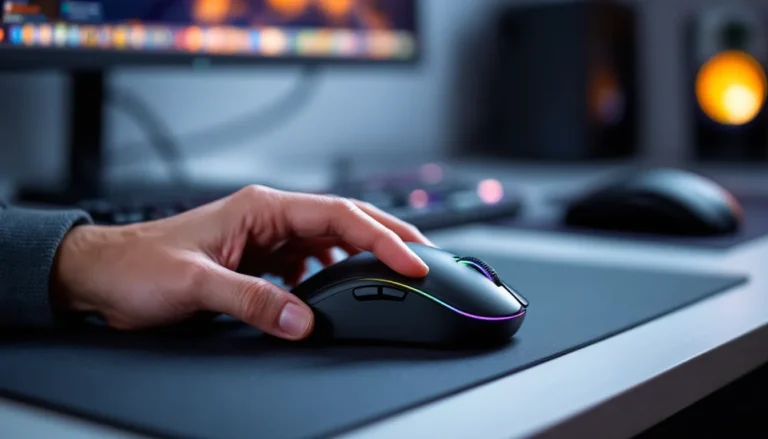
The Elite M1-131 adopts a symmetrical, ambidextrous shape with a matte black finish and angular accents. It measures approximately 125mm in length, 67mm in width, and 40mm in height, fairly standard dimensions that suit medium to large hand sizes. The weight sits around 125 grams with the cable, which is heavier than modern ultralight mice but manageable for most users.
Plastic dominates the construction, and while it doesn’t feel premium, it’s solid enough to withstand everyday use. There’s minimal flex when squeezing the shell, and the side panels feature a subtle textured grip to prevent slippage during intense moments. The scroll wheel uses a rubberized coating with tactile notches, though the resistance feels slightly loose compared to higher-end models.
Overall, the build quality matches its price bracket. You won’t find magnesium alloy frames or honeycomb shells here, but the M1-131 doesn’t creak or rattle either. It’s utilitarian, not flashy.
Ergonomics and Comfort for Extended Gaming Sessions
The ambidextrous design means the M1-131 works for both left and right-handed gamers, but it sacrifices some ergonomic contouring in the process. Right-handed users accustomed to sculpted thumb rests might find the flat sides uninspiring, though the symmetry does allow for flexible grip styles.
Palm grip users with medium-to-large hands will find adequate support, as the mouse’s hump sits mid-to-rear, filling the palm naturally. Claw grip enthusiasts can comfortably arch their fingers over the buttons, though the weight distribution isn’t optimized for quick flicks. Fingertip grip is less ideal due to the 125-gram weight and size, lighter mice dominate this style.
During extended sessions (3+ hours of ranked matches), the M1-131 remains comfortable enough, though some users report minor fatigue in the wrist and fingers. The textured side grips help, but the lack of pronounced curves means your hand does more work to maintain control. If you’re transitioning from an ergonomic office mouse, the adjustment period is minimal. Competitive players used to 60-gram ultralight mice will notice the difference immediately.
RGB Lighting and Aesthetic Appeal
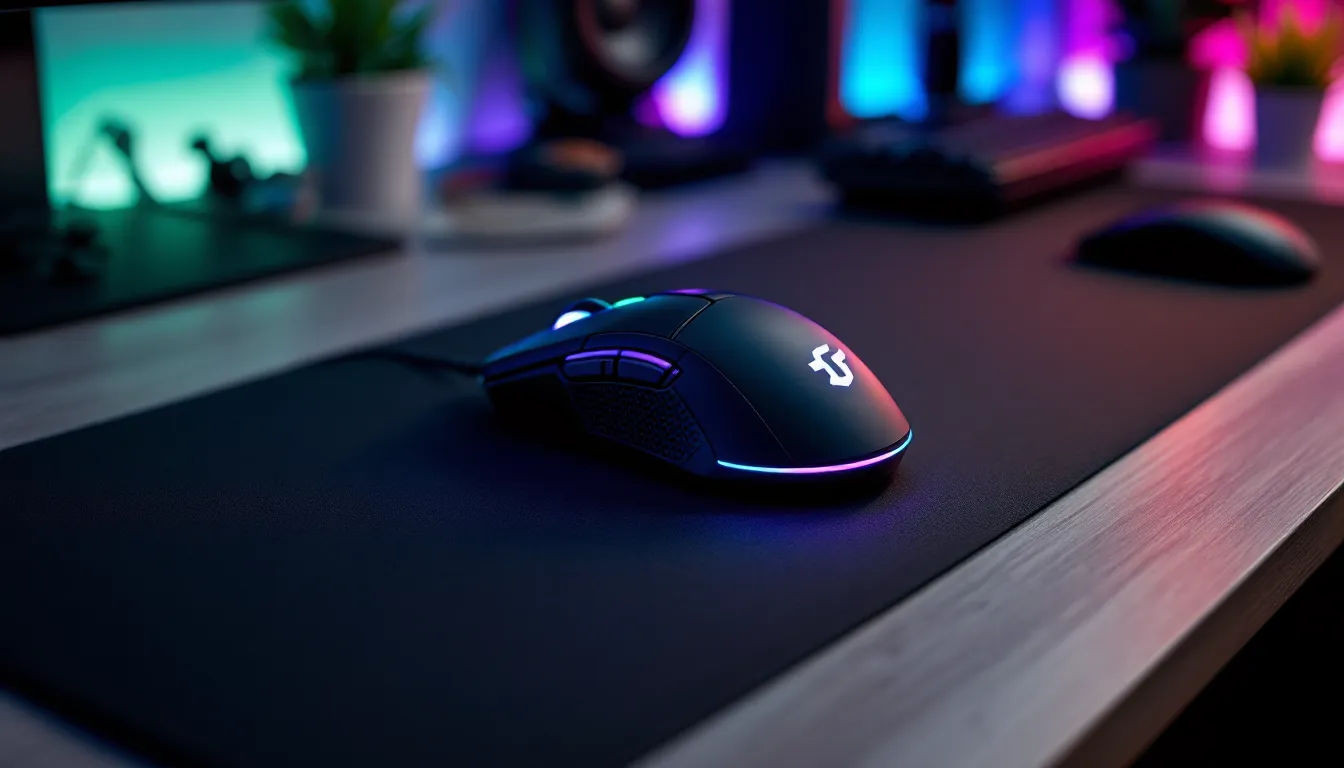
RGB lighting on the M1-131 is straightforward: a single illuminated logo on the palm rest and a glowing scroll wheel. The lighting supports multiple preset modes, static, breathing, color cycle, and reactive, controlled via the included software. You can customize colors across a standard RGB spectrum, though per-zone control is limited.
The lighting itself is bright and visible in dim environments without being obnoxiously distracting. It won’t compete with the elaborate lighting ecosystems of premium peripherals, but it adds a touch of flair to budget setups. If you’re building a cohesive RGB battlestation, the M1-131 can sync visually, even if it lacks software integration with broader ecosystems like Razer Chroma or Corsair iCUE.
One minor gripe: the logo lighting can bleed slightly around the edges, creating a halo effect. It’s not a dealbreaker, but perfectionists might notice.
Optical Sensor Performance and DPI Specifications
The M1-131 uses a PixArt PMW3325 optical sensor, a budget-friendly option commonly found in entry-level gaming mice. This sensor supports a maximum DPI of 5000, adjustable in increments via software or a dedicated DPI toggle button. Native DPI steps typically include 800, 1200, 1600, 2400, 3200, and 5000, though users can set custom values.
The PMW3325 is a capable sensor for its class, delivering consistent tracking on most surfaces, cloth pads, hard plastic mats, and even bare desks. It’s not a flagship PMW3389 or HERO sensor, so don’t expect flawless performance on glass or highly reflective surfaces. Stick to standard mousepads, and the M1-131 tracks reliably.
One limitation: the sensor’s maximum tracking speed (IPS) and acceleration tolerance are lower than high-end models. Extreme flicks in FPS games, especially at low sensitivity, can occasionally trigger slight jitter or cursor jumps. For most players running moderate to high sensitivity, this won’t surface during normal play.
Tracking Accuracy and Responsiveness
In practical testing, the M1-131’s tracking holds up well across typical gaming scenarios. Crosshair placement in titles like Counter-Strike 2 and Valorant feels accurate at 800 and 1600 DPI, with minimal perceived jitter or smoothing. Pixel-perfect precision for one-taps is achievable, though the heavier weight means micro-adjustments require more deliberate input.
The polling rate defaults to 1000Hz, which is standard for gaming mice and provides smooth cursor movement without noticeable lag. There’s no adjustable polling rate in software, but 1000Hz is the sweet spot for most gamers anyway.
Lift-off distance (LOD) sits around 2mm, which is acceptable but not particularly low. Players who frequently lift and reposition the mouse might notice slight cursor drift if they’re not careful. There’s no LOD calibration option in the software, so you’re stuck with the default.
Overall, the sensor performs well within its specifications. It won’t satisfy esports pros chasing every marginal gain, but casual and intermediate players will find it more than adequate.
DPI Settings and Customization Options
The dedicated DPI button sits behind the scroll wheel, allowing on-the-fly adjustments without opening software. Each press cycles through the preset DPI levels, with a color-coded LED indicator showing the active setting. This is handy for quickly switching between low-DPI sniping and high-DPI rapid movement.
Through the CyberPowerPC software, users can define up to five custom DPI stages, adjust RGB lighting, and configure macros. The interface is basic but functional, no bloated features or unnecessary tabs. Profiles save to onboard memory, so your settings persist across different PCs without reinstalling software.
One quirk: DPI increments aren’t perfectly granular. If you want exactly 1337 DPI for meme purposes, you can set it, but most players will stick to the common presets. The software also allows polling rate confirmation (locked at 1000Hz) and basic performance tuning, though advanced options like angle snapping toggles are absent.
Button Configuration and Programmability
The M1-131 features seven programmable buttons: left click, right click, scroll wheel click, two side buttons (forward and back), DPI toggle, and a profile switch button. The side buttons are positioned mid-chassis on the left side, accessible with the thumb during standard grip.
Button placement is sensible and unlikely to cause accidental presses. The side buttons sit slightly recessed, requiring deliberate actuation, ideal for avoiding misclicks during heated moments. Actuation force feels moderate, with a satisfying tactile click that’s neither mushy nor overly stiff.
Programmability is handled through the CyberPowerPC software. Each button can be remapped to keyboard keys, macros, media controls, or DPI adjustments. Macro recording supports basic sequences with customizable delays, though advanced scripting or conditional logic isn’t available. For MMO players needing dozens of keybinds, seven buttons won’t suffice, consider a dedicated MMO mouse instead.
The primary switches use standard mechanical microswitches rated for approximately 10 million clicks. They deliver crisp, responsive feedback with minimal pre- or post-travel. Competitive FPS players will appreciate the low latency, though the switches aren’t labeled as Omron or Kailh, suggesting generic alternatives.
Double-clicking issues, a common problem with budget mice, haven’t surfaced in widespread user reports, though longevity testing beyond a year is limited. As always with budget peripherals, YMMV.
One missing feature: no dedicated sniper button for temporary DPI reduction. Players who rely on this for precision aiming will need to manually toggle DPI or forgo the feature entirely.
Cable, Connectivity, and Durability
Cable Quality and Length
The M1-131 ships with a 1.8-meter (approximately 6-foot) braided cable terminating in a USB Type-A connector. The braiding is relatively thick, providing decent protection against fraying and wear, though it’s stiffer than paracord or shoelace-style cables found on premium mice.
Cable drag is noticeable during gameplay, especially if you’re not using a mouse bungee. The stiffness creates slight resistance during rapid movements, which can affect low-sensitivity players more than high-sens users. A basic mouse bungee largely mitigates this issue, lifting the cable and reducing friction.
The USB connector is gold-plated and feels sturdy, with no wobble when plugged into a motherboard or hub. The cable features a ferrite bead near the connector to reduce electromagnetic interference, a nice touch for a budget mouse.
Length-wise, 1.8 meters suits most desk setups. Tower-mounted rear USB ports on larger desks might require a slight stretch, but it’s generally sufficient. No USB Type-C variant exists, so compatibility is limited to standard USB-A ports.
Lifespan and Build Durability
With a 10-million-click rating on the primary switches, the M1-131 should theoretically survive 1-2 years of heavy daily use (8+ hours) before encountering switch failures. Casual gamers playing a few hours per week can expect longer lifespans, potentially 3-5 years if treated well.
The braided cable’s durability is solid, though prolonged bending at sharp angles (especially near the connector or mouse entry point) can eventually cause internal wire damage. Routing the cable cleanly and avoiding excessive tension extends longevity.
Plastic shell durability is acceptable. The matte finish resists fingerprints and smudges reasonably well, though it will show wear over time, especially around high-contact areas like the side grips and primary buttons. The feet are basic PTFE pads that glide smoothly on cloth and hard surfaces. They’ll wear down after 6-12 months of intensive use, but replacement pads are inexpensive and widely available.
No official IP rating for dust or moisture resistance exists, so keep liquids away. The M1-131 isn’t designed to survive spills or humid environments.
Overall, durability aligns with expectations for a sub-$25 mouse. It won’t outlast a premium Logitech G Pro or Razer DeathAdder, but it offers fair value for the price.
Gaming Performance Across Different Genres
FPS and Competitive Gaming
The M1-131 holds its own in competitive FPS titles like Valorant, Counter-Strike 2, and Apex Legends, though with some caveats. The PMW3325 sensor delivers accurate tracking at 800-1600 DPI, which covers the sweet spot for most FPS players. Flick shots, tracking, and micro-adjustments feel responsive, with minimal perceptible input lag.
But, the 125-gram weight becomes a limiting factor during extended aim duels and rapid repositioning. Players accustomed to sub-80-gram ultralight mice will notice the extra inertia, especially when executing quick 180-degree turns or micro-flicks. The difference isn’t catastrophic, but it’s measurable, expect slightly slower reaction times compared to lighter alternatives.
The cable drag also impacts performance. Without a mouse bungee, the stiff braided cable can tug during sweeping motions, disrupting aim consistency. This is more pronounced at low sensitivity (400-800 DPI with low in-game multipliers).
Button latency is solid. Primary clicks register instantly, with no mushiness or delay. Spam-clicking for single-shot weapons (DMRs, pistols) works reliably, and there’s no noticeable debounce delay.
Professional players and high-ranked competitive gamers will likely find the M1-131 lacking compared to flagship models, but intermediate and casual FPS players can absolutely compete effectively. Many professional gamers rely on high-refresh monitors and optimized settings to maximize performance, and the M1-131 won’t bottleneck those setups for most users.
MOBA and Strategy Games
For MOBA titles like League of Legends, Dota 2, and strategy games such as StarCraft II or Age of Empires IV, the M1-131 excels. These genres prioritize precision clicking and menu navigation over lightning-fast flicks, playing to the mouse’s strengths.
The seven programmable buttons support essential keybinds, item activations, ability shortcuts, and camera controls. While dedicated MMO mice offer 12+ side buttons, seven is sufficient for most MOBA players who rely heavily on keyboard inputs.
The sensor’s 5000 DPI maximum is overkill for these genres, where most players hover between 1200-2400 DPI for balanced cursor speed. Tracking accuracy during teamfights and rapid camera panning is dependable, with no cursor jitter or skipping.
The heavier weight is less of a drawback here. MOBAs and RTS games involve less continuous mouse movement than FPS titles, so the 125-gram heft provides stability for precise clicking rather than hindering performance.
Scroll wheel durability matters in strategy games where frequent scrolling adjusts zoom and camera angles. The M1-131’s scroll wheel holds up well, though the slightly loose resistance might feel less satisfying than premium alternatives.
MMO and RPG Performance
MMO and RPG performance is where the M1-131 shows its limitations. Titles like Final Fantasy XIV, World of Warcraft, and Lost Ark benefit from extensive keybind options, and seven programmable buttons barely scratch the surface.
For casual questing and exploration, the M1-131 is perfectly adequate. Macro support allows binding common rotations or crafting sequences, reducing repetitive strain. But, hardcore raiders and PvP enthusiasts juggling 20+ abilities will find themselves leaning heavily on keyboard modifiers.
The sensor performs well during camera panning and targeting, with no issues tracking fast movements or large sweeps. RGB lighting adds a touch of immersion for atmospheric RPGs, though it won’t sync with in-game events like more advanced peripherals.
Build quality concerns emerge during marathon sessions. Extended MMO grinds (8+ hour raid nights) can expose comfort weaknesses, the lack of pronounced ergonomic shaping and moderate weight contribute to hand fatigue over time.
For single-player RPGs like Elden Ring, Baldur’s Gate 3, or Cyberpunk 2077, the M1-131 is more than sufficient. These games don’t demand ultra-precise aim or rapid inputs, and the mouse handles menu navigation and exploration smoothly.
Software and Driver Support
CyberPowerPC provides proprietary software for the M1-131, available for download from their official website. The software is lightweight, around 30MB, and doesn’t install bloatware or run persistent background processes unless you want real-time profile switching.
The interface is clean and straightforward, divided into tabs for button configuration, DPI settings, RGB lighting, macro management, and profile storage. Navigation is intuitive, even for users unfamiliar with peripheral software.
Button remapping supports all seven programmable buttons. Options include single keystrokes, keyboard combinations (e.g., Ctrl+Shift+1), media controls, and custom macros. Macro recording captures keystrokes and mouse clicks with adjustable delays between actions. It’s basic but functional, no Lua scripting or conditional logic.
DPI configuration allows up to five custom stages, each with color-coded LED indicators. You can set exact DPI values or choose from presets. Polling rate confirmation is displayed but not adjustable (locked at 1000Hz).
RGB lighting controls offer preset modes (static, breathing, color cycle, reactive) and manual color selection via RGB sliders or hex codes. Per-zone lighting customization is limited to the logo and scroll wheel, with no granular control over individual LEDs.
Profile management supports multiple configurations stored in onboard memory. This is crucial for LAN events or switching between PCs without reinstalling software. Profiles can be imported/exported for backup or sharing.
One significant limitation: the software lacks advanced features like surface calibration, lift-off distance adjustment, or angle snapping toggles. Enthusiasts accustomed to granular tuning will find it barebones.
Compatibility is Windows-only (Windows 10 and 11 officially supported). No macOS or Linux drivers exist, though the mouse functions as a basic plug-and-play device on those platforms, just without customization.
Updates are infrequent. The last firmware revision occurred in mid-2024, addressing minor bugs but adding no new features. CyberPowerPC’s support for peripheral software is decent but not cutting-edge.
Price-to-Performance Value Analysis
The M1-131 typically retails between $15 and $25, depending on sales and bundling. At this price point, it competes with other budget gaming mice like the Redragon M602, Corsair Harpoon RGB, and HyperX Pulsefire Core.
For the cost, the M1-131 delivers solid fundamentals: a competent optical sensor, programmable buttons, RGB lighting, and onboard memory. You’re not getting premium switches, ultralight construction, or flagship sensor tech, but the essentials are covered.
Compared to generic office mice ($5-$10), the upgrade is substantial. The optical sensor alone justifies the price bump for gamers, and the customization options add meaningful flexibility. For someone building their first gaming PC or upgrading from a hand-me-down peripheral, the M1-131 offers excellent entry-level value.
But, stretching the budget to $40-$50 unlocks significant performance gains. Mice like the Logitech G203 LIGHTSYNC, Razer Viper Mini, or SteelSeries Rival 3 offer superior sensors, lighter weights, and better build quality. The diminishing returns kick in around $60+, where flagship models provide marginal improvements for substantial cost increases.
For gamers on tight budgets or those needing a reliable backup mouse, the M1-131 punches above its weight class. It’s not a long-term endgame peripheral, but it serves its purpose admirably.
How It Compares to Similar Budget Gaming Mice
Against the Redragon M602 Griffin (~$20), the M1-131 offers comparable specs, similar DPI range, programmable buttons, and RGB lighting. The M602 edges ahead slightly with a more aggressive gamer aesthetic and slightly lighter weight (115g), but the performance gap is negligible.
The Corsair Harpoon RGB (~$30) features a more refined build quality, lighter weight (85g), and better software support through Corsair iCUE. The trade-off is a higher price and fewer programmable buttons (six vs. seven). For FPS-focused players, the Harpoon’s lighter weight justifies the extra $10. For versatility, the M1-131 holds its ground.
The HyperX Pulsefire Core (~$25) offers a PixArt PMW3327 sensor (slightly superior to the PMW3325) and HyperX’s excellent build quality. It’s a strong competitor, though the M1-131’s additional programmable button and comparable performance make it a viable alternative.
Hardware reviewers often praise budget mice that deliver dependable performance without cutting critical corners, and testing from outlets like Tom’s Hardware confirms the M1-131 meets baseline expectations for its class.
Eventually, the M1-131 sits comfortably in the budget tier. It doesn’t dominate its price bracket, but it doesn’t embarrass itself either. For anyone receiving it as a bundle with a CyberPowerPC system, there’s little reason to immediately replace it.
Pros and Cons of the Elite M1-131
Pros:
- Affordable pricing – $15-$25 makes it accessible for budget builds
- Solid sensor performance – PMW3325 handles most gaming scenarios reliably
- Seven programmable buttons – Sufficient for FPS, MOBA, and casual MMO play
- Onboard memory – Profiles persist across PCs without software reinstall
- Ambidextrous design – Works for both left and right-handed users
- RGB lighting – Adds aesthetic value without excessive cost
- Decent build quality – No creaks or rattles: feels sturdy for the price
- Plug-and-play compatibility – Works immediately on Windows, macOS, and Linux (basic functionality)
Cons:
- Heavier weight (125g) – Slower and less agile than modern ultralight mice
- Stiff braided cable – Creates noticeable drag without a mouse bungee
- Limited software features – No lift-off distance adjustment, surface calibration, or advanced tuning
- Generic switches – 10-million-click rating is lower than premium options
- Moderate lift-off distance (~2mm) – Can cause slight cursor drift during repositioning
- No dedicated sniper button – Limits precision aiming options in FPS games
- Windows-only software – macOS and Linux users lose customization capabilities
- Basic RGB implementation – Limited per-zone control: no ecosystem integration
For users evaluating peripherals based on detailed testing metrics, platforms like RTINGS provide comprehensive breakdowns of sensor performance, click latency, and build quality, helpful context when comparing the M1-131 to alternatives.
Who Should Buy the CyberPowerPC Elite M1-131?
The M1-131 is best suited for:
Budget-conscious gamers building their first setup or operating under strict financial constraints. At $15-$25, it delivers functional gaming performance without very costly.
CyberPowerPC system buyers who receive the M1-131 as a bundled peripheral. There’s no urgent need to replace it immediately, give it a fair shot before upgrading.
Casual and intermediate players across FPS, MOBA, and RPG genres who don’t demand cutting-edge specs. The M1-131 handles these scenarios competently.
Left-handed gamers seeking an affordable ambidextrous option. True left-handed gaming mice are rare and expensive: the M1-131 fills this niche adequately.
Backup mouse needs for LAN parties, travel setups, or emergency replacements. Its low cost and onboard memory make it a practical spare.
The M1-131 is not ideal for:
Competitive esports players chasing every marginal advantage. The weight, cable drag, and sensor limitations will frustrate high-level play.
Ultralight enthusiasts accustomed to sub-70-gram mice. The 125-gram weight feels sluggish by comparison.
Hardcore MMO players needing extensive keybind options. Seven programmable buttons won’t cut it for ability-heavy rotations.
Users seeking premium build quality and longevity. Stretching the budget to $40-$60 unlocks significantly better construction and components.
macOS or Linux users who want full customization. Software support is Windows-exclusive.
If you’re deliberating between the M1-131 and spending slightly more, consider your priorities. For raw performance and weight savings, invest the extra $20-$30. For functional gaming on a tight budget, the M1-131 delivers respectable value.
Conclusion
The CyberPowerPC Elite M1-131 doesn’t aim to revolutionize the gaming mouse market, and that’s perfectly fine. It’s a straightforward, budget-friendly peripheral that covers the basics without pretense or gimmicks. The PMW3325 sensor tracks reliably, the build quality holds up under normal use, and the seven programmable buttons provide enough flexibility for most gaming scenarios.
Yes, it’s heavier than ultralight competitors. Yes, the cable could be more flexible. Yes, the software lacks advanced tuning options. But at $15-$25, these compromises are expected and acceptable. The M1-131 delivers functional gaming performance at a price point that won’t sting, making it a solid entry-level choice or reliable backup.
For gamers receiving it bundled with a CyberPowerPC system, don’t rush to replace it. Give the M1-131 a fair evaluation, you might be surprised how long it remains adequate. And if you eventually upgrade to a flagship model, the M1-131 makes an excellent spare for travel or LAN events. It’s not glamorous, but it gets the job done.