

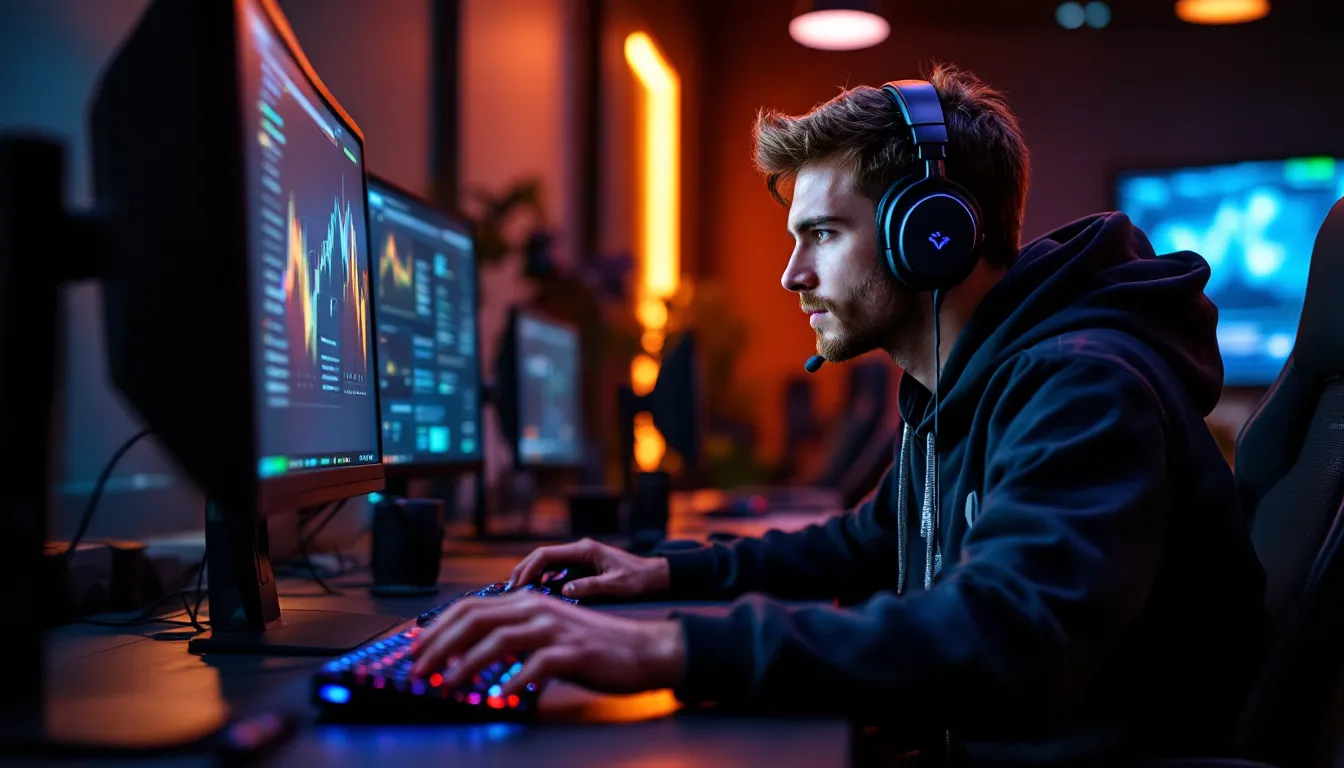
The gaming audio landscape has shifted dramatically over the past few years. Walk into any tournament venue or scroll through competitive streams, and you’ll spot something different: fewer bulky over-ear headsets, more sleek in-ear solutions. Gaming in-ear headphones have evolved from a niche afterthought into a legitimate choice for serious players across every platform.
This isn’t just a trend driven by aesthetics. Modern gaming earbuds deliver low-latency audio, crisp spatial positioning, and microphone clarity that rivals traditional headsets, all while weighing a fraction of the competition. Whether you’re grinding ranked matches on PC, coordinating raids on console, or pushing for leaderboard spots on mobile, the right in-ear setup can sharpen your competitive edge without the fatigue that comes with prolonged headset sessions.
This guide breaks down everything you need to know: what specs actually matter, which models excel for specific platforms and genres, and how to avoid the common traps that lead to buyer’s remorse.
Key Takeaways
- Gaming in-ear headphones now offer low-latency audio, superior comfort, and performance that rivals traditional headsets, making them the preferred choice for competitive players across PC, console, and mobile platforms.
- Driver configuration, frequency response tuning (especially 2-4kHz for footstep clarity), and microphone performance are critical specs when selecting gaming earbuds—generic audiophile IEMs often fall short on mic quality.
- Wired connections deliver true zero-latency for rhythm games and high-refresh competitive FPS, while premium wireless options with aptX Adaptive or 2.4GHz dongles achieve sub-30ms latency suitable for most gaming scenarios.
- Proper fit through multiple tip sizes, cable routing design, and platform-specific compatibility (Tempest 3D for PlayStation, Dolby Atmos for Xbox, low-latency modes for mobile) are essential to avoid buyer’s remorse.
- EQ customization by game genre (boosting 2-4kHz for FPS, enhancing bass for RPGs) and maintenance habits like monthly contact cleaning significantly extend earbud lifespan and audio quality.
- Avoid common pitfalls like focusing on driver count over actual tuning, neglecting microphone reviews, and overpaying for ‘gaming’ branding when quality audiophile IEMs at lower prices often deliver superior performance.
Why In-Ear Headphones Are Gaining Ground in the Gaming World
The Evolution from Bulky Headsets to Lightweight Earbuds
For years, gaming audio meant one thing: chunky over-ear headsets with RGB lighting and branding you could spot from across the room. That paradigm made sense when most gamers sat at desks for extended sessions, and when audio drivers needed physical size to deliver bass response.
But driver technology has caught up. Modern balanced armature and dynamic drivers pack serious punch into housings smaller than your thumbnail. Manufacturers started applying lessons from the audiophile IEM world to gaming-specific tuning, creating earbuds that handle the rumble of explosions and the subtlety of footstep positioning equally well.
The shift accelerated around 2023-2024 when mobile esports exploded and streamers started prioritizing comfort for 8+ hour sessions. Suddenly, a form factor that didn’t clamp your skull or heat your ears became appealing even to desktop players. By 2026, in-ear options have earned respect in competitive circles, not as compromises, but as purpose-built tools.
Key Advantages for Different Gaming Platforms
The benefits vary depending on where you play. PC gamers appreciate the desk space savings and cable management simplicity, especially in multi-monitor setups where traditional headset cables become tangles. High-impedance wired IEMs pair beautifully with dedicated DAC/amp stacks that many enthusiasts already own.
Console players on PlayStation 5 and Xbox Series X
|
S benefit from the 3D audio compatibility, Tempest 3D on PS5 and Dolby Atmos on Xbox both work exceptionally well with quality in-ears that provide good seal and soundstage. The lightweight design also matters during longer couch sessions where neck fatigue from headsets becomes noticeable.
For Nintendo Switch users, portability is king. In-ears slip into a carrying case alongside the console itself, making them ideal for gaming during commutes or travel without the bulk of folding headsets.
Mobile gamers get the most obvious advantages: pocketability, all-day comfort during tournament grinds, and compatibility with the same device they use for everything else. Low-latency wireless earbuds have become essential gear for competitive PUBG Mobile, Call of Duty Mobile, and League of Legends: Wild Rift players who need split-second audio cues without cables interfering with touchscreen controls.
What to Look for in Gaming In-Ear Headphones
Audio Quality: Drivers, Frequency Response, and Soundstage
Driver configuration separates good earbuds from great ones. Single dynamic drivers (typically 10-12mm) offer punchy bass and good imaging for most gaming scenarios. Hybrid setups, pairing a dynamic driver for lows with balanced armatures for mids and highs, deliver more precise separation, which helps in competitive games where you’re tracking multiple audio cues simultaneously.
Frequency response matters, but not how marketing departments present it. The “20Hz-20kHz” spec everyone lists is meaningless. What counts is the tuning curve: slight bass emphasis (2-4dB boost around 60-200Hz) helps with environmental rumble and explosions without muddying footsteps, which typically sit in the 2-4kHz range. Recessed mids can make voice comms harder to distinguish, so avoid V-shaped tuning if team communication is critical.
Soundstage in IEMs will never match open-back over-ears, but well-designed models create convincing spatial positioning. Look for wider nozzles and vented designs that reduce pressure buildup. Some gaming-specific IEMs use digital signal processing to simulate surround sound, though results vary, it works better for cinematic games than competitive shooters where stereo imaging precision trumps artificial width.
Microphone Performance for Team Communication
This is where many “audiophile IEMs with gaming potential” fall flat. Built-in inline mics designed for phone calls rarely cut it for competitive gaming. The mic capsule needs to sit close to your mouth, feature noise cancellation, and handle the dynamic range of excited callouts without clipping.
Dedicated gaming earbuds typically use detachable boom mics that extend toward your mouth, similar to headset designs. These outperform inline mics dramatically, expect Discord Krisp noise suppression to work more effectively when the source signal is cleaner.
Wireless models often integrate mics into each earbud with beamforming arrays. Quality varies wildly here. Check reviews that specifically test mic performance in noisy environments, not just quiet rooms. Independent testing from sites like RTINGS often includes microphone comparison metrics that reveal real-world performance.
Comfort and Fit: Finding Your Perfect Seal
No amount of audio quality matters if your ears hurt after thirty minutes. Tip selection is crucial, most quality models ship with multiple sizes in silicone and sometimes foam. Foam tips (like Comply variants) provide better noise isolation and bass response but degrade faster. Silicone lasts longer and some users find it more comfortable for extended wear.
Nozzle angle and housing shape affect fit dramatically. Shallow-insertion designs sit more comfortably but provide less isolation. Deep-insertion models seal better and improve bass but can cause fatigue. If you wear glasses, check that the IEM housing doesn’t interfere with temple arms, this is especially important for models with winged stabilizers.
Cable routing matters more than most realize. Over-ear cable designs (wrapping around the back of your ear) stay more secure during head movement and keep cables out of your peripheral vision. Straight-down cables work fine for stationary gaming but can tug on the fit if you’re mobile gaming or shifting positions frequently.
Latency and Connectivity: Wired vs. Wireless Options
Wired connections remain the gold standard for latency-critical gaming. A quality 3.5mm connection delivers effectively zero latency, audio and visual sync is limited only by your display’s input lag, not the audio path. USB-C wired options offer digital signal transmission that can bypass potentially noisy internal DACs in phones or controllers, though quality depends heavily on the inline DAC implementation.
Wireless introduces complexity. Standard Bluetooth has 150-300ms latency, which makes it unplayable for any game requiring audio/visual sync. aptX Low Latency reduces this to around 40ms, which is acceptable for most gaming. aptX Adaptive goes further, hitting 20-30ms in optimal conditions.
Proprietary wireless dongles (like those using 2.4GHz connections) achieve the lowest wireless latency, often under 20ms, which puts them in truly competitive territory. Many gaming-specific earbuds include USB dongles for PC/console alongside Bluetooth for mobile, giving you best-of-both-worlds flexibility.
Best Gaming In-Ear Headphones for PC Gamers
Top Picks for Competitive FPS and MOBA Games
Competitive play demands precision over spectacle. You need to pinpoint enemy positioning from subtle audio cues, not get blown away by boomy bass that obscures detail.
Wired options for FPS/MOBA:
- Models featuring dual balanced armature drivers excel at separating footsteps from ambient noise in games like Counter-Strike 2 and VALORANT
- Tuning that emphasizes the 2-6kHz range brings clarity to crucial sounds: reloads, ability casts, and directional cues
- Detachable MMCX or 2-pin cables let you swap in boom mic attachments specifically designed for competitive comms
Wireless options worth considering:
- Gaming earbuds with dedicated 2.4GHz dongles that advertise sub-20ms latency
- Dual-mode connectivity (dongle for PC, Bluetooth for phone) maximizes versatility
- Software customization that includes tournament-specific EQ presets, some models offer “competitive” profiles that reduce bass and enhance treble for better positional audio
Many competitive PC gamers pair audiophile-grade IEMs (not marketed for gaming) with external USB DAC/amps and standalone mics. This modular approach often delivers better audio quality per dollar spent, though it sacrifices the convenience of integrated solutions. If you already run an audio interface or dedicated DAC, consider neutral-tuned IEMs in the $100-200 range paired with your existing setup.
Immersive Options for RPG and Adventure Titles
Story-driven and open-world games benefit from different tuning priorities. Here, soundstage width, bass impact, and tonal richness matter more than microsecond positional accuracy.
Look for:
- Hybrid driver configurations that deliver satisfying low-end rumble for orchestral scores and environmental effects while maintaining vocal clarity for dialogue
- Wider soundstage through vented designs or DSP processing, virtual surround can actually enhance immersion in single-player titles where competitive edge isn’t a factor
- Warmer tuning with slight mid-bass elevation makes long exploration sessions in games like Elden Ring or Cyberpunk 2077 more engaging
Some gaming IEMs include companion software with scenario-based EQ profiles. “RPG” or “Adventure” presets typically boost bass and widen soundstage artificially. Test these against manual EQ to see which you prefer, sometimes the presets overdo it, creating muddy sound that fatigues over multi-hour sessions.
Console Gaming: In-Ear Solutions for PlayStation, Xbox, and Nintendo Switch
Compatibility Considerations Across Platforms
Console audio can be surprisingly finicky. PlayStation 5 offers the most straightforward experience, any 3.5mm earbuds plugged into the DualSense controller work immediately, with Tempest 3D Audio processing applied automatically when enabled in system settings. USB-C earbuds work directly in the console’s front port, though not all models are recognized.
**Xbox Series X
|
S** similarly supports 3.5mm through the controller, but Dolby Atmos for Headphones requires a separate app purchase ($15) to unlock spatial audio processing. Some gaming earbuds include Atmos licensing, saving you that cost. Wireless dongles work via USB-A ports on the console.
Nintendo Switch requires extra consideration. The console’s Bluetooth audio support (added in firmware 13.0.0) works but introduces noticeable latency with most earbuds, fine for turn-based games, problematic for rhythm games or fast-paced action. Wired 3.5mm remains the best option for docked play. For handheld mode, USB-C audio works if your earbuds support it, though this drains battery faster than the 3.5mm jack.
Cross-platform gaming setups benefit from earbuds with multiple connectivity options. A model with both 3.5mm and USB dongle support works across all three major consoles without adapter juggling.
Recommended Models for Console Gamers
Console-optimized gaming earbuds typically prioritize:
- 3.5mm connectivity as the universal baseline
- Inline controls for volume and mic mute, since you can’t adjust these as easily from a couch as from a PC keyboard
- Durable cables with reinforced strain relief near the plug, console controllers get set down less gently than mice
- Compatibility certifications from Microsoft or Sony, which ensure features like chat/game audio mixing work as intended
For PlayStation-focused gaming, look for models that explicitly mention Tempest 3D Audio compatibility in marketing. While technically any stereo earbuds work, some are tuned specifically to complement Sony’s processing algorithms. According to comprehensive peripheral testing, certain gaming IEMs produce more convincing spatial positioning with Tempest than others, likely due to frequency response matching.
Xbox gamers should prioritize models that include Dolby Atmos licensing or have been tested with Atmos enabled. The difference between standard stereo and properly implemented Atmos in games like Halo Infinite or Forza Horizon 5 is substantial, height channels actually contribute meaningful positional information when the earbuds have sufficient driver separation.
Switch players who primarily game in handheld mode benefit most from ultra-lightweight designs with short cables. Excessive cable length becomes annoying when the screen is inches from your face. Some portable-focused models include right-angle 3.5mm plugs that sit flatter against the Switch’s top edge.
Mobile Gaming: Earbuds That Deliver on the Go
Features That Matter for Mobile Esports
Mobile competitive gaming has specific requirements that desktop and console players don’t face. Low-latency wireless is non-negotiable, you can’t have cables interfering with touchscreen controls, but standard Bluetooth latency will get you killed.
Key specs for mobile esports:
- Sub-50ms latency via aptX Low Latency, aptX Adaptive, or proprietary gaming modes that many wireless earbuds now include
- Stable connection that doesn’t drop during intensive gameplay, cheaper Bluetooth implementations struggle when your phone is simultaneously handling game data, voice chat, and wireless audio
- Touch controls that don’t accidentally trigger when adjusting fit mid-match: physical buttons are often more reliable
- Environmental noise cancellation in the microphone specifically, not in the earbuds themselves, you need to hear the game clearly, but your teammates need to hear you without background café noise
Many flagship wireless earbuds now include dedicated “gaming mode” toggles in companion apps. These prioritize latency reduction over audio quality slightly, using more aggressive compression to speed transmission. The audio quality hit is minimal and worth it for real-time games.
Platform-specific considerations matter. iOS users benefit from earbuds with AAC support, which Apple prioritizes. Android gamers should look for aptX support, particularly on phones with Snapdragon processors that handle it natively. Some gaming phones from ASUS ROG, RedMagic, or Lenovo Legion include proprietary audio modes that work best with specific earbud models.
Battery Life and Portability Factors
Mobile gaming sessions can stretch unexpectedly long. Tournament days, ranked grinds, or just getting absorbed in a game means your earbuds need staying power.
Realistic battery expectations:
- 5-6 hours per charge with low-latency mode enabled (marketing claims based on standard Bluetooth don’t apply)
- 20-30 hours total with charging case for all-day events
- Quick-charge capability, 15 minutes for 1-2 hours of gameplay, saves you when you forget to charge overnight
Case size matters when you’re already carrying a phone, power bank, and maybe a controller. Slim cases that fit in pockets alongside other gear beat bulky ones that require bag space. Some gaming earbud cases include wireless charging, which is convenient if your phone supports reverse wireless charging, you can top up your earbuds from your phone’s battery during breaks.
Durability features often overlooked: IPX4 rating minimum protects against sweat during intense matches, and reinforced hinges on the case prevent the inevitable failure point of cheap wireless earbuds.
Wired vs. Wireless Gaming In-Ear Headphones: Making the Right Choice
When Low Latency Wired Connections Are Essential
Wired still dominates specific use cases, and that won’t change anytime soon. Rhythm games represent the clearest example, games like Beat Saber, Osu., or Guitar Hero require audio/visual sync measured in single-digit milliseconds. Any wireless latency, even the 15-20ms from premium solutions, creates perceptible offset that throws off timing.
Competitive FPS at high levels similarly benefits from wired connections. The difference between 20ms wireless and true zero-latency wired might not seem significant, but when you’re playing at 240Hz+ refresh rates and reaction times matter, eliminating every possible delay compounds advantages.
Streaming and content creation introduces another consideration: monitoring latency. If you’re commentating gameplay or recording, even slight audio delay between your voice and your ears creates the disorienting feeling of hearing yourself “late.” Wired monitoring eliminates this entirely.
Practical advantages beyond latency:
- No charging required, grab and play without battery anxiety
- Lighter weight, no battery means less mass in each earbud
- Better audio quality per dollar, the money not spent on Bluetooth chips and batteries goes into drivers and tuning
- Universal compatibility, 3.5mm works with basically everything
Wireless Freedom: Bluetooth and Low-Latency Technologies
Wireless makes sense when mobility and convenience outweigh the last few milliseconds of response time. Modern implementations have closed the gap significantly since the early days of gaming earbuds.
Bluetooth codec hierarchy for gaming:
- Proprietary gaming modes (various names, usually sub-30ms latency)
- aptX Adaptive (20-40ms in low-latency mode)
- aptX Low Latency (40ms typical)
- AAC (80-120ms, acceptable for casual gaming)
- SBC (150-300ms, avoid for real-time games)
2.4GHz dongle solutions bypass Bluetooth entirely, connecting directly like a wireless mouse. These achieve the lowest wireless latency, 15-25ms, but sacrifice the universal compatibility of Bluetooth. You need a USB port (Type-A or Type-C depending on the dongle), which works for PC, most consoles, and some phones but not iOS devices.
Some hybrid models include both Bluetooth and dongle connectivity. You get dongle performance for competitive PC gaming and Bluetooth for your phone, all in one package. The trade-off is higher cost and slightly bulkier charging cases that house the dongle.
Technology publication TechRadar regularly updates rankings of wireless gaming earbuds based on measured latency testing, which provides more reliable data than manufacturer claims. Real-world latency often varies from spec sheets depending on your specific source device’s Bluetooth implementation.
Enhancing Your Gaming Experience with In-Ear Headphones
EQ Settings and Software Customization
Out-of-box tuning rarely matches individual preference or specific game requirements. Companion apps for gaming earbuds typically include EQ controls ranging from simple presets to full parametric adjustment.
Useful EQ adjustments by genre:
- Competitive FPS: Reduce bass below 200Hz by 2-3dB, boost 2-4kHz by 1-2dB to emphasize footsteps and positional cues
- Battle Royale: Slight boost at 100-200Hz for vehicle engine differentiation, maintain clarity in mids for voice comms
- RPG/Adventure: Gentle bass shelf boost (+2-3dB) for orchestral impact, avoid excessive treble that causes fatigue during long sessions
- Horror games: Boost sub-bass (40-80Hz) for environmental dread, enhance upper mids (3-5kHz) for jump-scare clarity
Some software includes game-specific profiles that activate automatically when launching certain titles. This sounds great in theory but rarely works perfectly, treat these as starting points for manual refinement rather than set-and-forget solutions.
Spatial audio processing appears in many gaming earbud apps. Virtual surround implementations vary wildly in quality. Windows Sonic (built into Windows 10/11) and Dolby Atmos (paid) often outperform proprietary solutions from earbud manufacturers. Test multiple options with your most-played games to find what actually improves positional awareness versus what just sounds different.
Pro tip: Create separate EQ profiles for gaming versus music. The tuning that makes footsteps pop in Apex Legends will make your Spotify playlist sound thin and harsh.
Proper Maintenance and Care Tips
Ear tip hygiene matters more than most gamers realize. Earwax and skin oils degrade tips and can affect sound quality by blocking nozzle filters. Clean tips weekly with mild soap and water, letting them dry completely before reattaching. Replace foam tips every 2-3 months, silicone tips when they lose elasticity or tear.
Cable management for wired models prevents the most common failure point: strain at the plug or Y-split. Use the included cable tie or velcro wrap when storing. Never wrap cables tightly around devices, loose coils prevent internal wire fatigue.
For wireless models:
- Clean charging contacts monthly with a dry cotton swab or soft cloth
- Avoid extreme temperatures in storage, batteries degrade faster above 85°F or below 32°F
- If storing long-term, maintain 40-60% charge rather than full or empty
Moisture protection: Even if your earbuds have IPX ratings, wipe them down after sweaty gaming sessions. Moisture that accumulates in nozzles or charging ports causes corrosion over time. Keep a small microfiber cloth at your setup for quick post-session wipes.
Filters and meshes can clog with debris. Most quality IEMs use replaceable nozzle filters, check if your model includes spares and learn how to swap them. This five-minute maintenance task can restore sound quality that degraded so gradually you didn’t notice.
Common Pitfalls to Avoid When Buying Gaming Earbuds
Marketing hype around driver count misleads many buyers. “Quad driver hybrid configuration” sounds impressive but means nothing if the tuning is trash. A well-implemented single dynamic driver outperforms poorly tuned multi-driver setups. Focus on measured frequency response and user impressions of actual sound quality, not driver counts.
Ignoring return policies causes regrets. Fit is highly individual, what seals perfectly for one person creates pressure points for another. Buy from retailers with hassle-free returns (at least 30 days) so you can test during actual gaming sessions, not just a five-minute store demo.
Overpaying for “gaming” branding is common. Many standard audiophile IEMs perform identically to gaming-marketed models at lower prices. You’re often paying extra for RGB lighting, aggressive styling, and boom mic attachments you might not need. If you already have a standalone mic setup, consider non-gaming IEMs with better drivers for the same budget.
Wireless misconceptions trip up buyers who don’t understand codec support. Your earbuds might support aptX, but if your phone or PC doesn’t, you’re stuck with SBC. Check source device codec compatibility before buying based on wireless specs.
Platform-specific compatibility gets overlooked. Some USB-C earbuds work with Android but not iOS. Certain gaming modes only activate when connected to specific apps or dongles. Verify compatibility with your actual devices, not just what platforms the manufacturer lists.
Neglecting microphone quality until after purchase is a classic mistake. Many reviews focus 90% on audio quality and barely mention mic performance. If you play team games, seek out reviews that specifically test communication quality. A muffled or distorted mic will frustrate teammates regardless of how good your audio sounds.
Conclusion
Gaming in-ear headphones have matured from questionable alternatives into legitimate tools for serious players. The technology has caught up, latency is manageable, audio quality rivals traditional headsets, and the comfort advantages during extended sessions are undeniable.
Your ideal choice depends entirely on your platform, genre preferences, and whether you value portability over the last marginal gains in performance. Competitive PC players grinding ranked queues might still prefer wired connections paired with external DACs. Console gamers splitting time between the couch and bedroom benefit from wireless flexibility. Mobile esports athletes need low-latency wireless in compact packages that travel everywhere.
The market offers strong options across all price points now. You don’t need to spend flagship money to get competent gaming audio in an earbud form factor. But you do need to match specific features to your actual use case, buying the “best” model means nothing if it doesn’t fit your ears or work with your platform.
Test, research, and don’t get distracted by spec sheet bingo or marketing superlatives. The right gaming in-ears disappear during play, letting you focus entirely on clutching that round or exploring that world.